
Writing Your Business Plan
Changing the organization of your plan outline
LivePlan's business plan outline is incredibly flexible. You have the power to add, remove, rename, and rearrange chapters and sections, tailoring your plan to perfectly mirror your unique business and market.
To get a sense of the comprehensive subjects covered in a typical LivePlan business plan, consider reading What's included in the default outline.
How the LivePlan outline is organized
The current plan outline is displayed in the left-hand column when you click the Plan section. You can click on any chapter title to see the sections included in it:

The Plan is organized by chapters and sections. The sections are where you'll enter the content of your business plan. This view makes it easy to navigate to any part of the plan so you can edit it.
For more on editing sections, read Writing and editing plan content.
What are chapters and sections?
To see an editable view of your outline, click on the Plan section:
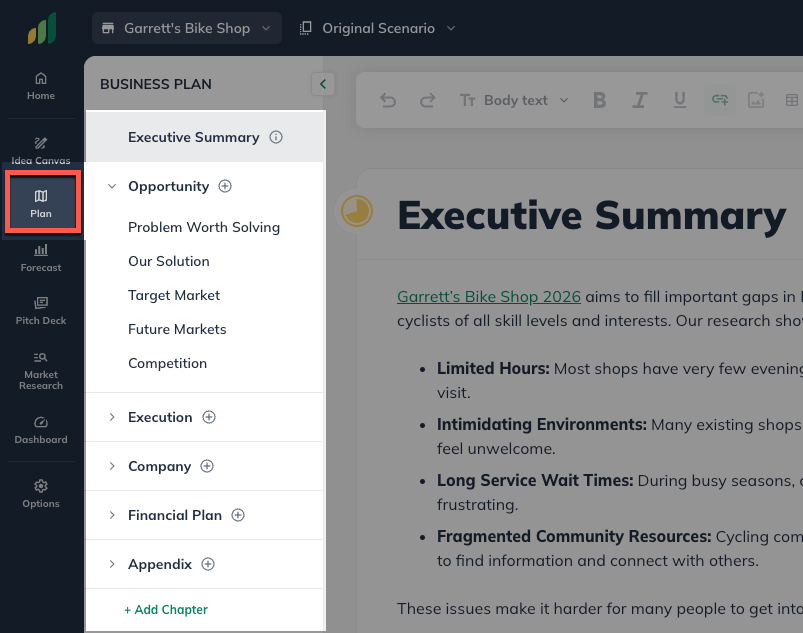
In this view, you will see the same outline with the chapters and sections in place. If you select a Chapter or Section, LivePlan will jump to that selection in the editing field.
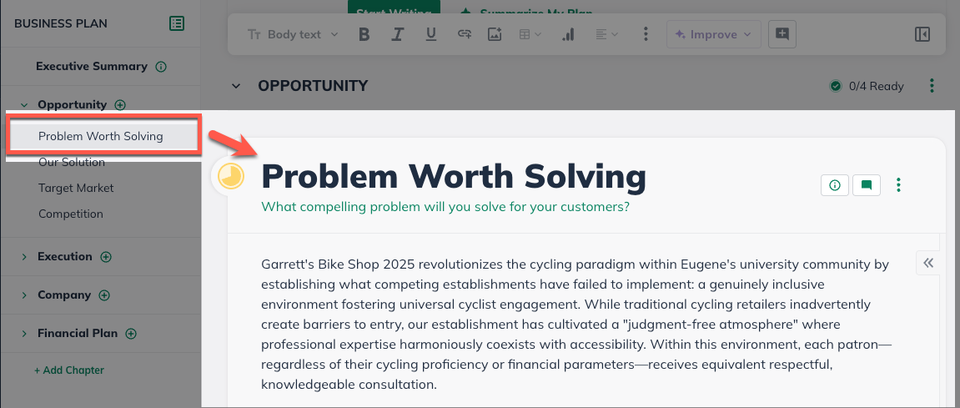
From here, you can add additional material to your plan outline, either from a list of suggestions or by creating custom chapters and sections. You can also rearrange the outline as well as remove parts that you don't need in your plan.