

Canceling your LivePlan account
If your cancellation is scheduled, you'll have access to your companies through the current paid period. If it takes effect immediately, LivePlan logs you out. If you think you may want to access your LivePlan companies in the short term, we recommend pausing your account instead of canceling.
Canceling an active account
If you decide to cancel your account, we recommend first downloading your existing plan(s) to Word or PDF. That way, when your account is canceled at the end of the current paid period, you will still have a copy of your plan(s) on your computer.
If you're not already signed into your account, visit: https://app.liveplan.com/login
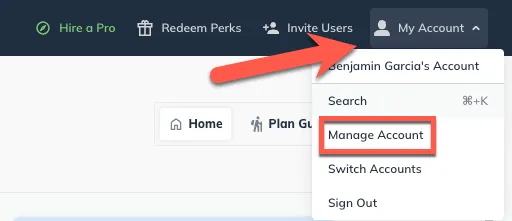
From the Account menu, choose Manage Account:
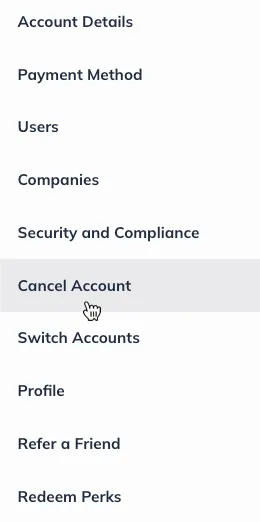
In the sidebar of the Account Management screen, select Cancel Account:
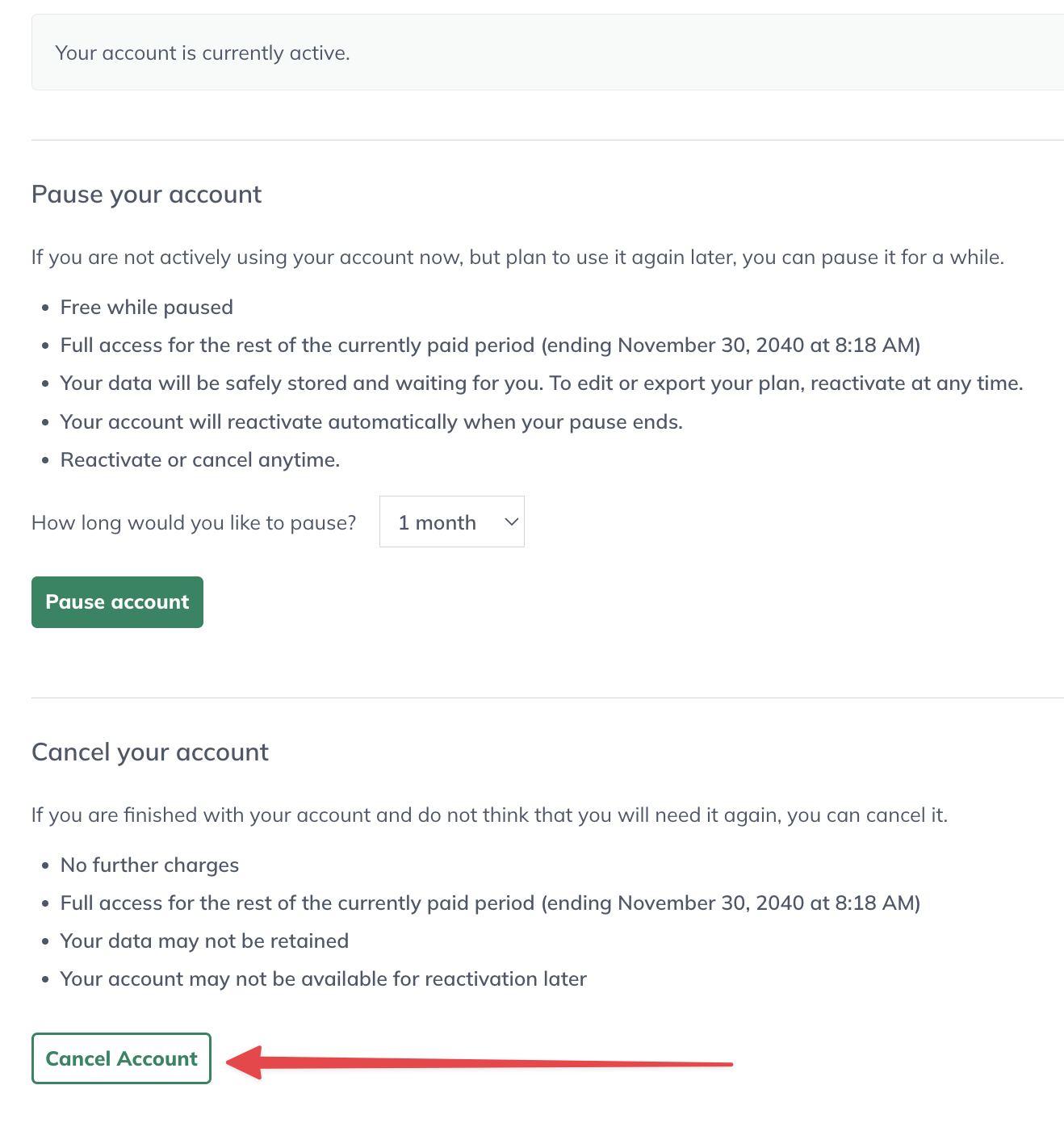
Click the Cancel Account button:
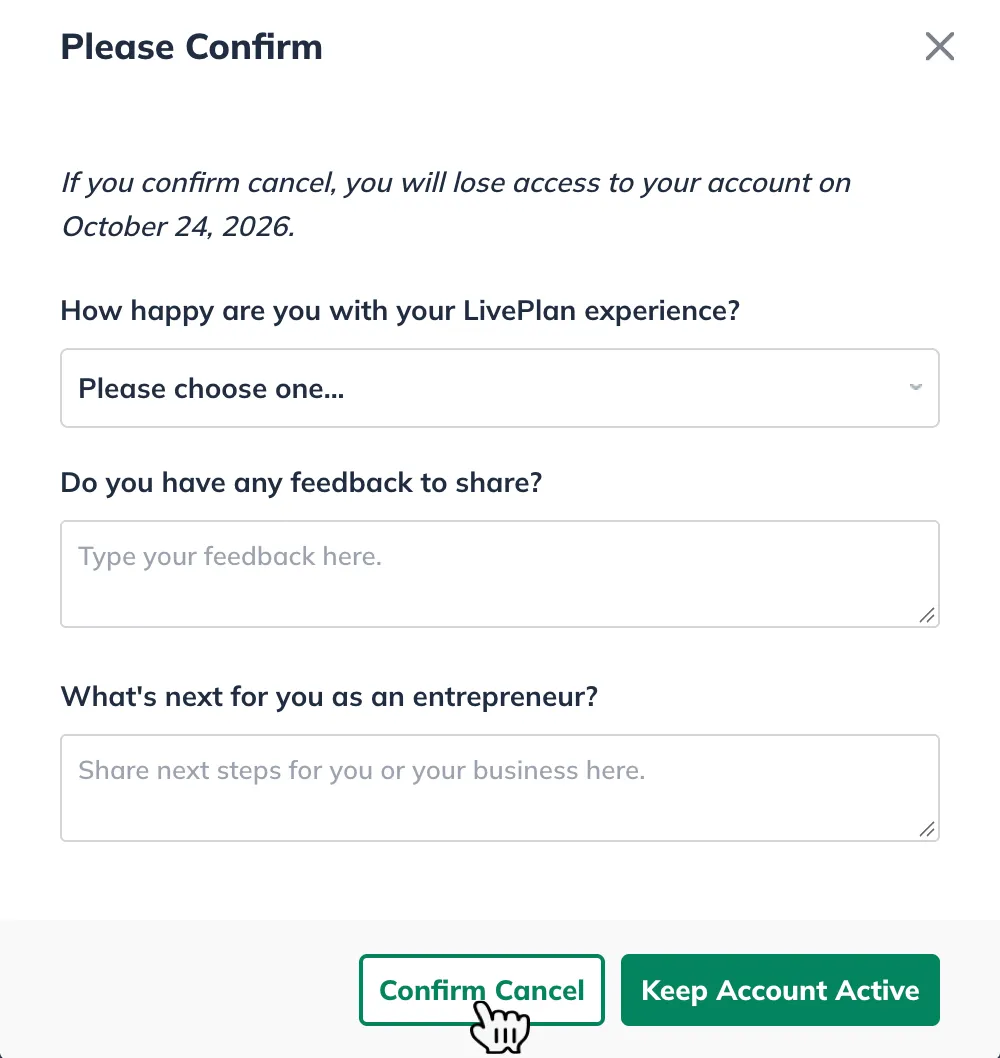
Click Cancel Account to confirm the cancelation. The button shows a saving indicator while LivePlan processes your request. LivePlan logs you out if the cancellation takes effect immediately; otherwise, you stay signed in.
To exit the account management page, click the back arrow in the upper-left corner:
Canceling an account scheduled to go on pause
If your account is scheduled to go on pause, but it is still within the current paid period, you can cancel it from the Manage Account page:
Log in to LivePlan.
From the Account menu, choose Manage Account:
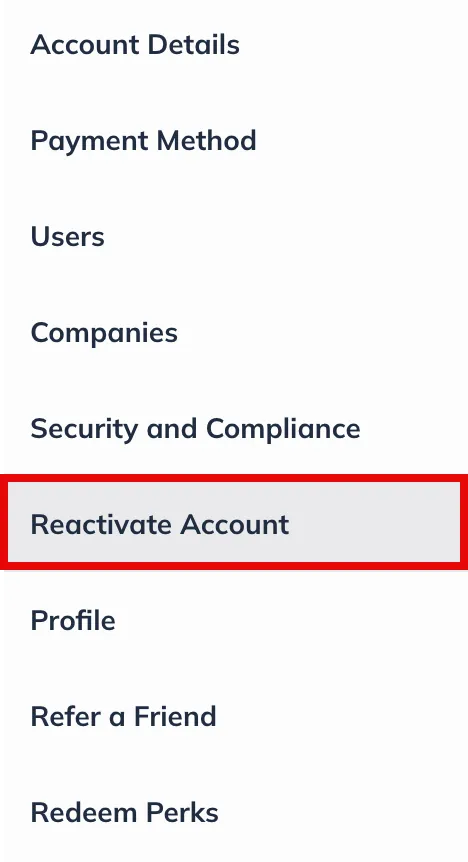
In the sidebar of the Account Management page, click Reactivate Account:
Click Cancel Account:
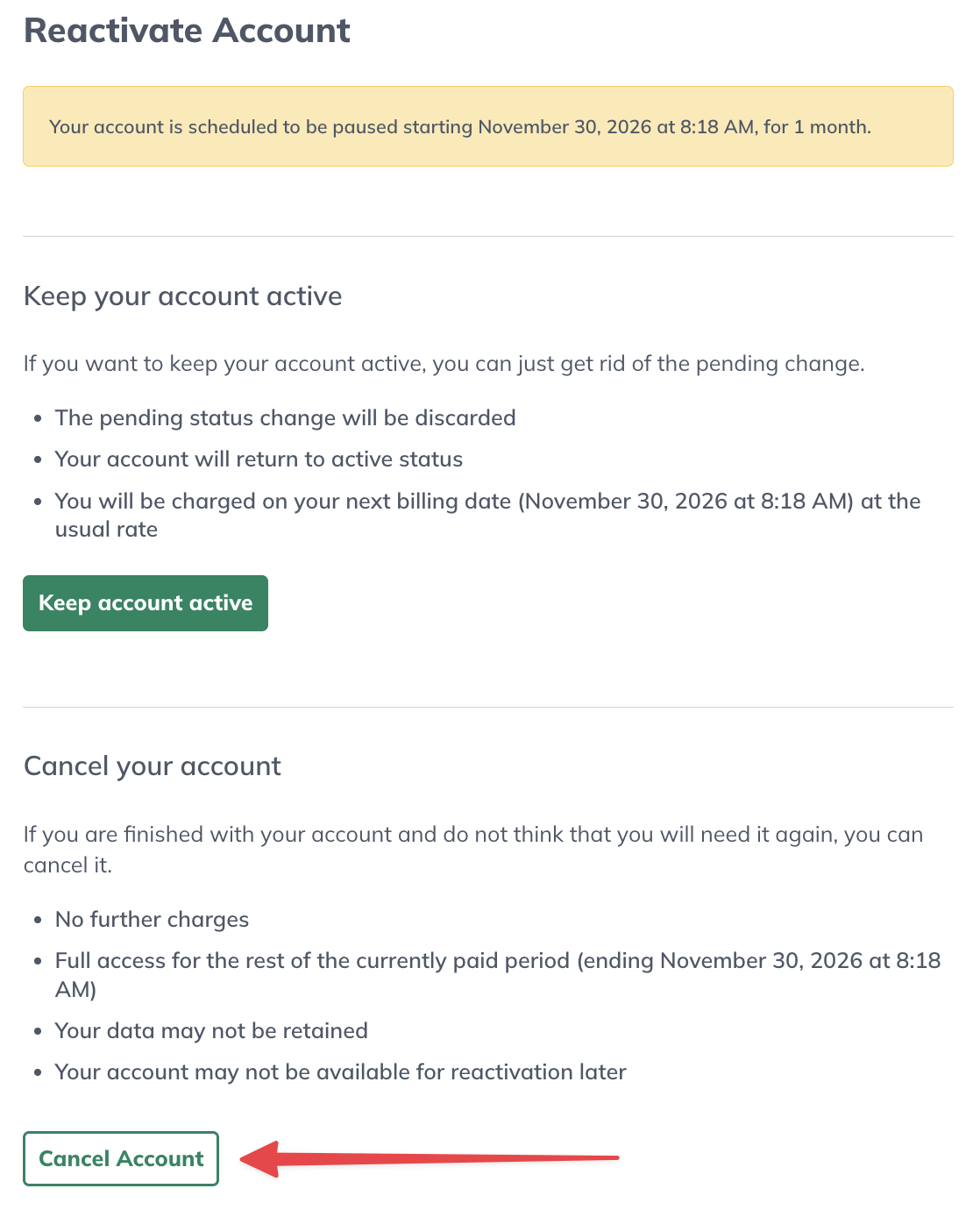
Click Cancel Account to confirm the cancelation. The button shows a saving indicator while LivePlan processes your request. LivePlan logs you out if the cancellation takes effect immediately; otherwise, you stay signed in.
To exit the account management page, click the back arrow in the upper-left corner:
Canceling an account that is paused
If you placed your account pause and it has already gone into the pause status, you can cancel it directly from the Launch Pad:
Click the Cancel Account link:
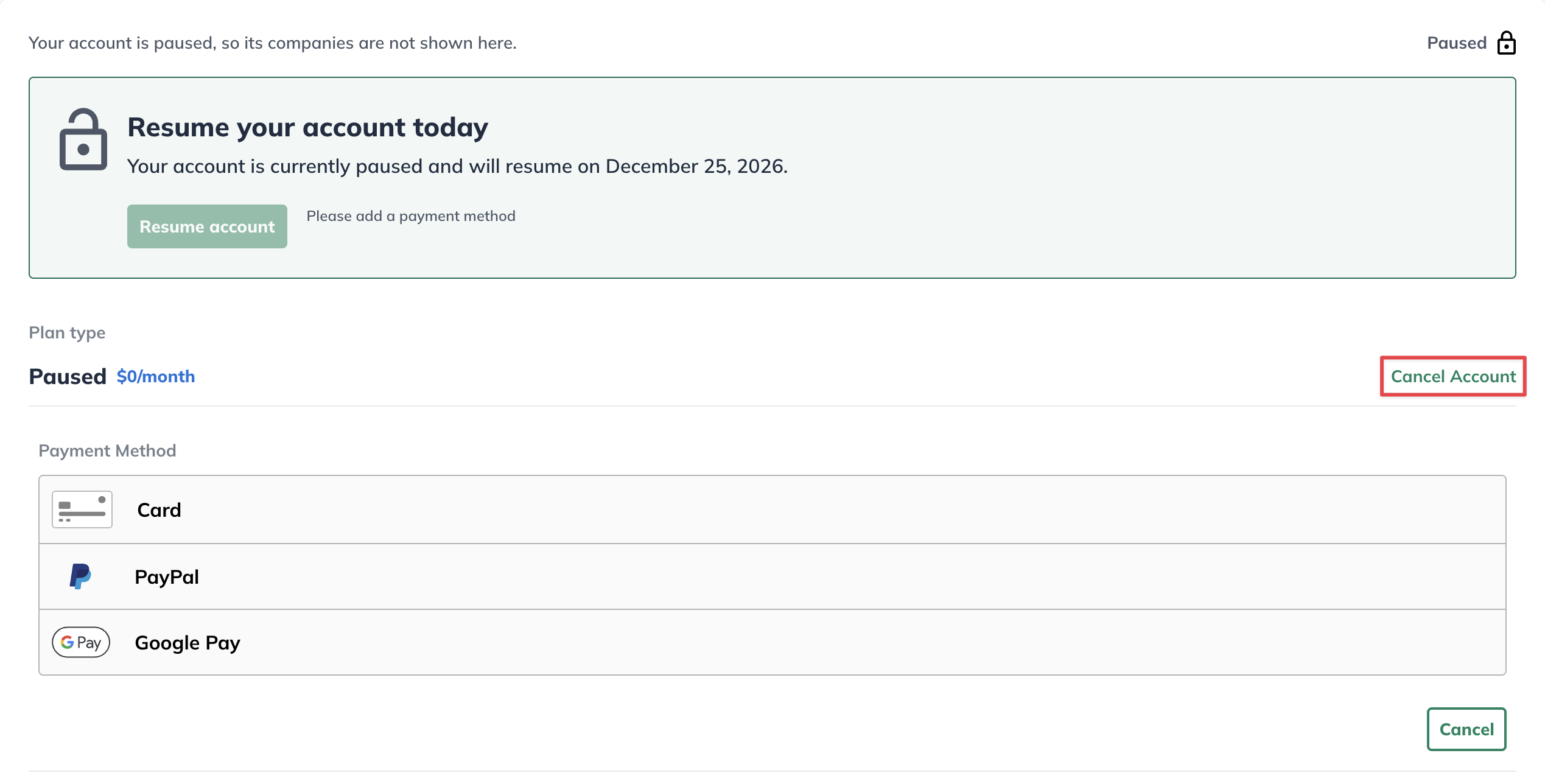
- Click Cancel your account:
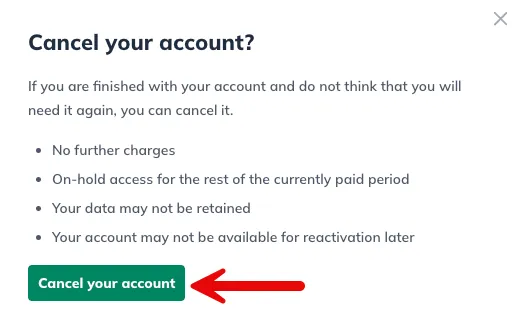
- Your account will remain paused until the end of the current pause period. You can still reactivate it from the Launch Pad during that remaining time.
Canceling a suspended account
We will notify you by email if your account has been suspended because a renewal payment could not process. If you have not updated your payment method at the end of 14 days, the account will cancel automatically, but until that happens, our system will re-attempt the payment every two days.
If you would prefer to cancel the account immediately, please contact us.
Third-Party cancellation services
Due to our account security protocols we can only process billing changes and cancellations from the account owner. When contacted by a third party cancellation service such as Rocket Money, Trim, or Truebill we will reach out via email to the account owner to confirm their request.
Care to tell us more?
We’re always looking for ways to improve our software. Can you tell us a little more about why you’re canceling?
- I couldn't find the features I needed We’re sorry to hear that! Our Customer Advocacy Team would love to talk you about what you couldn’t find. Chat with us now, or contact us - we'd love to hear your feedback.
- It’s not quite what I was looking for That’s OK, LivePlan isn’t for everybody. Before you go, we'd love to hear more about what you were trying to accomplish, and why LivePlan wasn’t the right fit. Chat with us now, or contact us. We might also be able to connect you with our certified business coaches, plan writing experts, and strategic advisors.
- I’m just not using it enough
If you want to keep your planning data, you can pause your account so that it’s available for you when you’re ready to start using LivePlan again. Or, contact us to learn how you can get more use out of LivePlan. - It’s too expensive We offer both monthly and annual subscriptions so you can choose your savings. The monthly option offers a lower up-front payment, and the annual option saves you up to 40% when you pay for the year. Keep in mind, too, that you can cancel a monthly subscription at any time. There’s never a contract or minimum commitment.If you've signed up and would like to change your subscription plan, please contact us - we're glad to help.
- I finished my business plan Congratulations! Did you know that if your business is up and running, the LivePlan Dashboard provides supercharged analytics to help you monitor the health of your business and make better decisions? Please contact us if you'd like to hear more.