Managing Your Account
Changing your LivePlan account name
1 min. readUpdated November 17, 2025
The LivePlan account name is how your guests and collaborators will recognize you when they access and work on company content. You'll see it on emailed contributor invitations and receipts. By default, new LivePlan accounts list the name given at sign-up under the account name; however, many users prefer to change that to a company name.
Note: Only the account owner can change the account name.
To change your account name:
1.
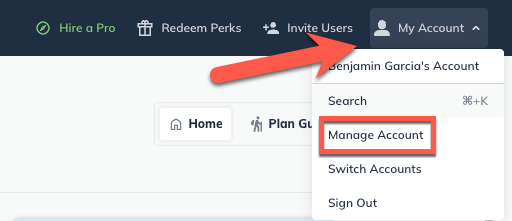
From the Account menu, select Manage Account:
2.
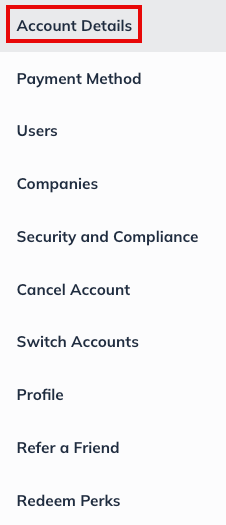
Click Account Details:
3.
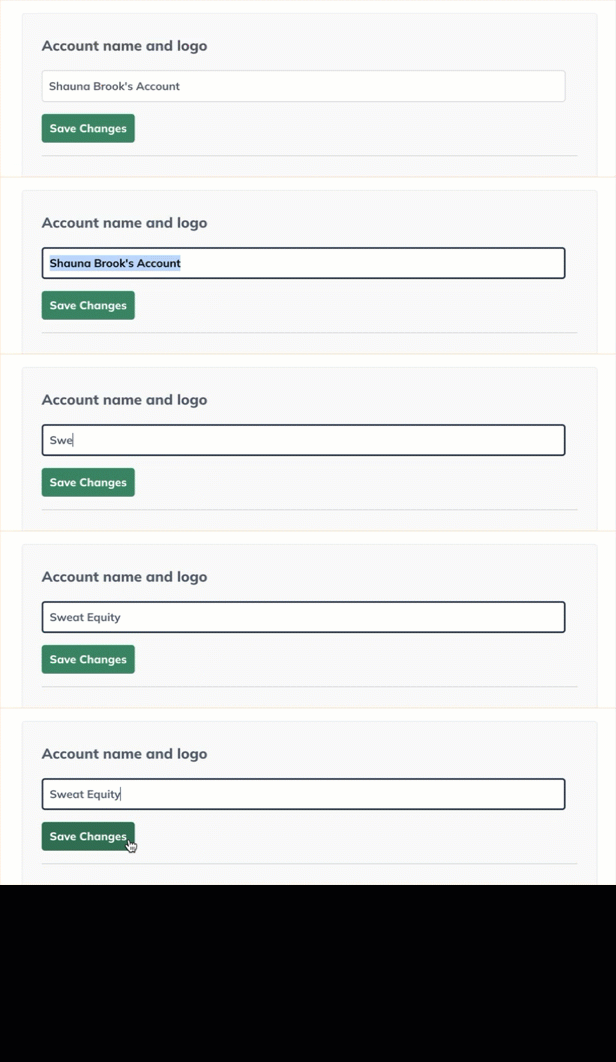
In the Account name and Logo field, type the name you wish to use, then click Save Changes:
To exit the account management page, click on the back arrow at the upper-left corner of the window: