Quick Answers
What's new in LivePlan
Are you curious about the latest updates and enhancements to LivePlan? Keep reading to discover what our team has been developing!
September 2026
ImprovementNew Forecast Report Tables
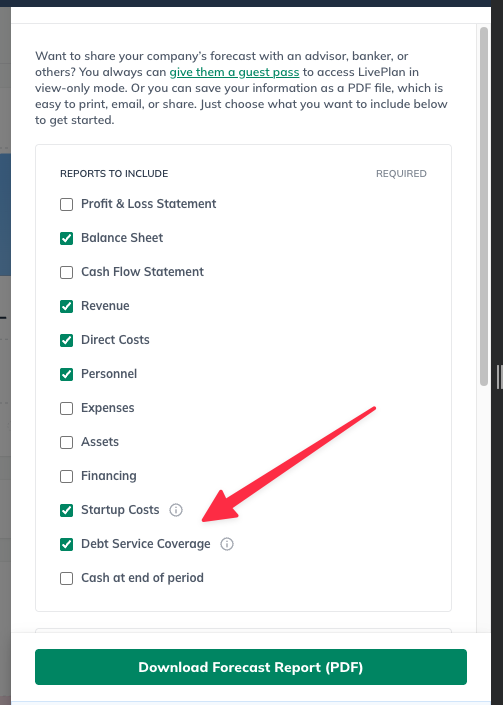
Related to our recent releases of Startup Cost and Debt Service Coverage tables, you can now include these Plan tables in your Forecast Report downloads!
Learn more about all available Plan tables in: Adding and editing plan charts and tables
Forecast Version History
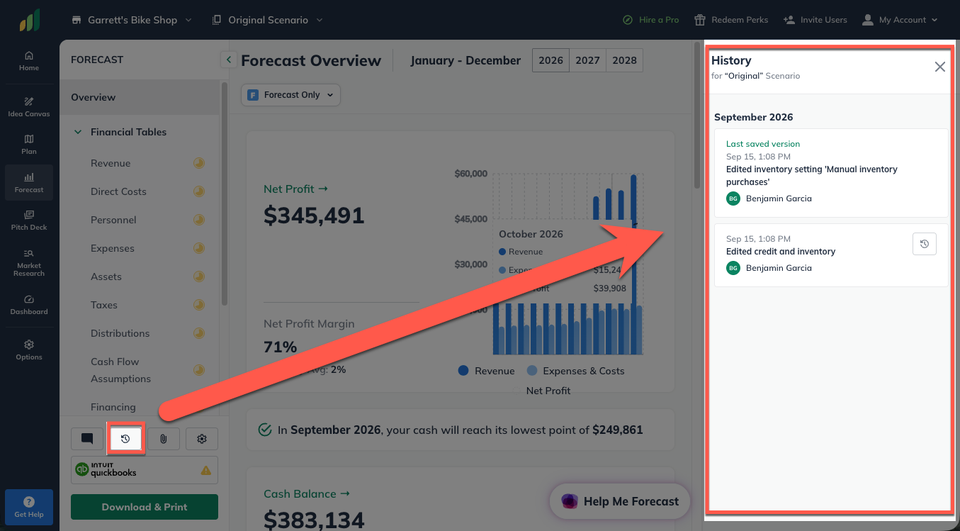
Forecast Version History lets you return to an earlier version of your forecast if you want to undo changes or revisit previous assumptions. For example, you can experiment with different revenue or expense projections, then restore a previous version if you decide your original forecast better reflects your business.
Import Forecast
You can now import your existing financial files into LivePlan! Using Help Me Forecast, you can add your own spreadsheets and LivePlan will review and populate them to the Forecast section!
Plan Startup Costs Table
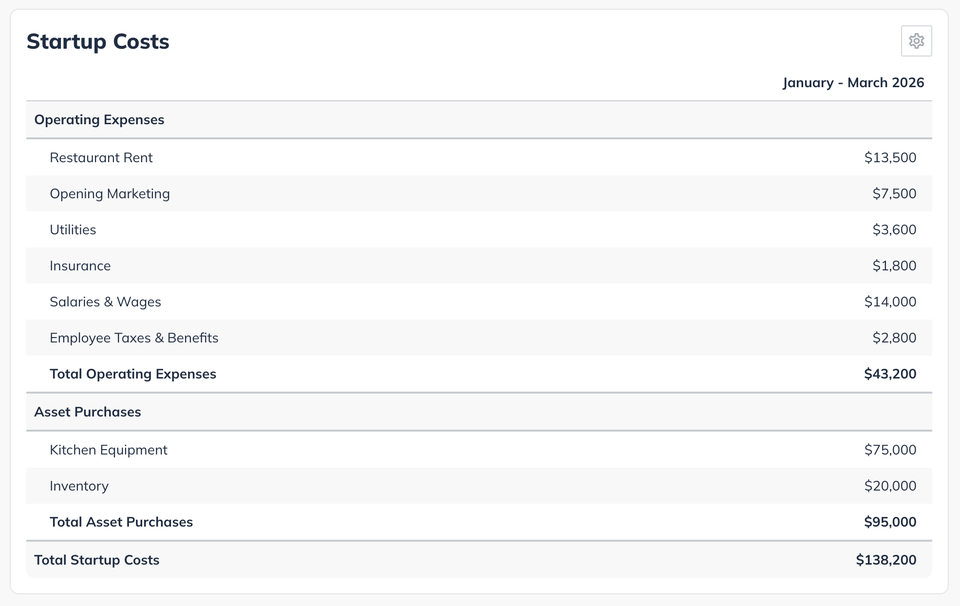
The new Startup Costs Summary table is an optional plan widget that pulls directly from your forecast and totals any expenses or costs entered before your first month of revenue. This gives you a simple view of the money you may need to get your business up and running, which can be especially helpful when estimating how much funding to request from a lender or investor.
August 2026
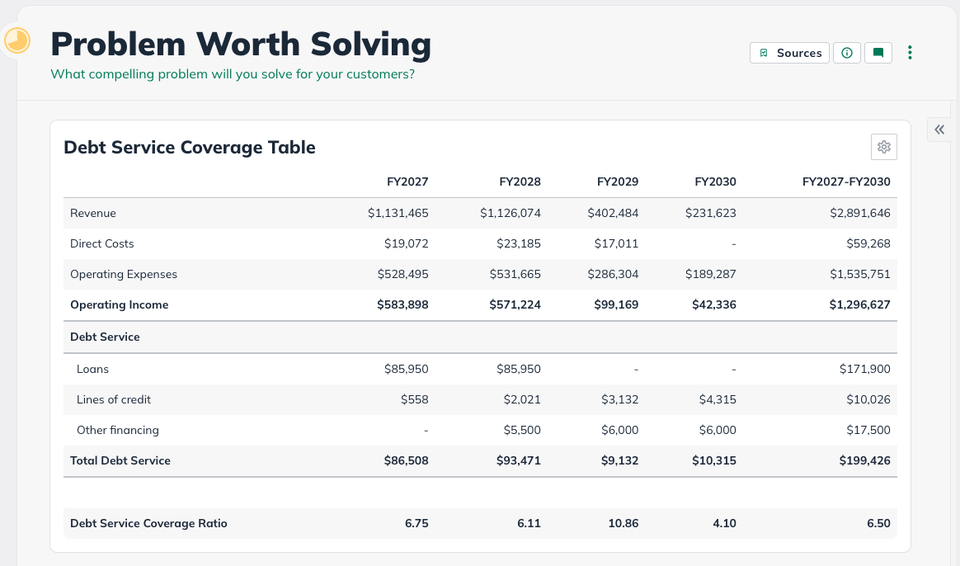
NewDebt Service Coverage Table
The debt service coverage table is an optional Plan component that shows whether your business earns enough operating income to cover its debt obligations.
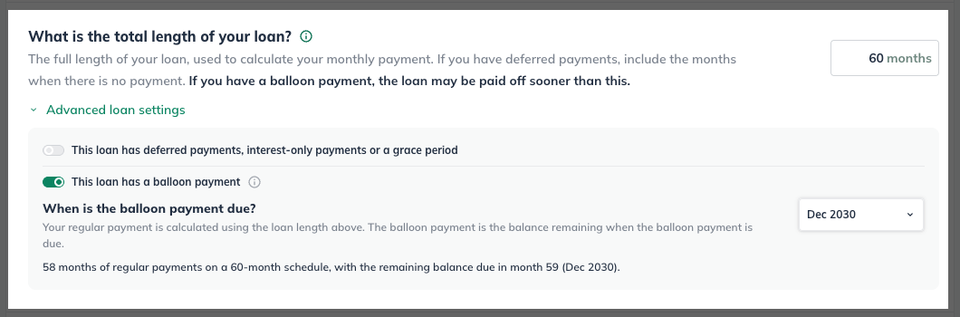
Balloon Payment Loan Option
A balloon payment loan is a loan with regular payments during the loan term and one larger final payment due at the end. You now have the option to seamlessly model this style of loan in your forecast!
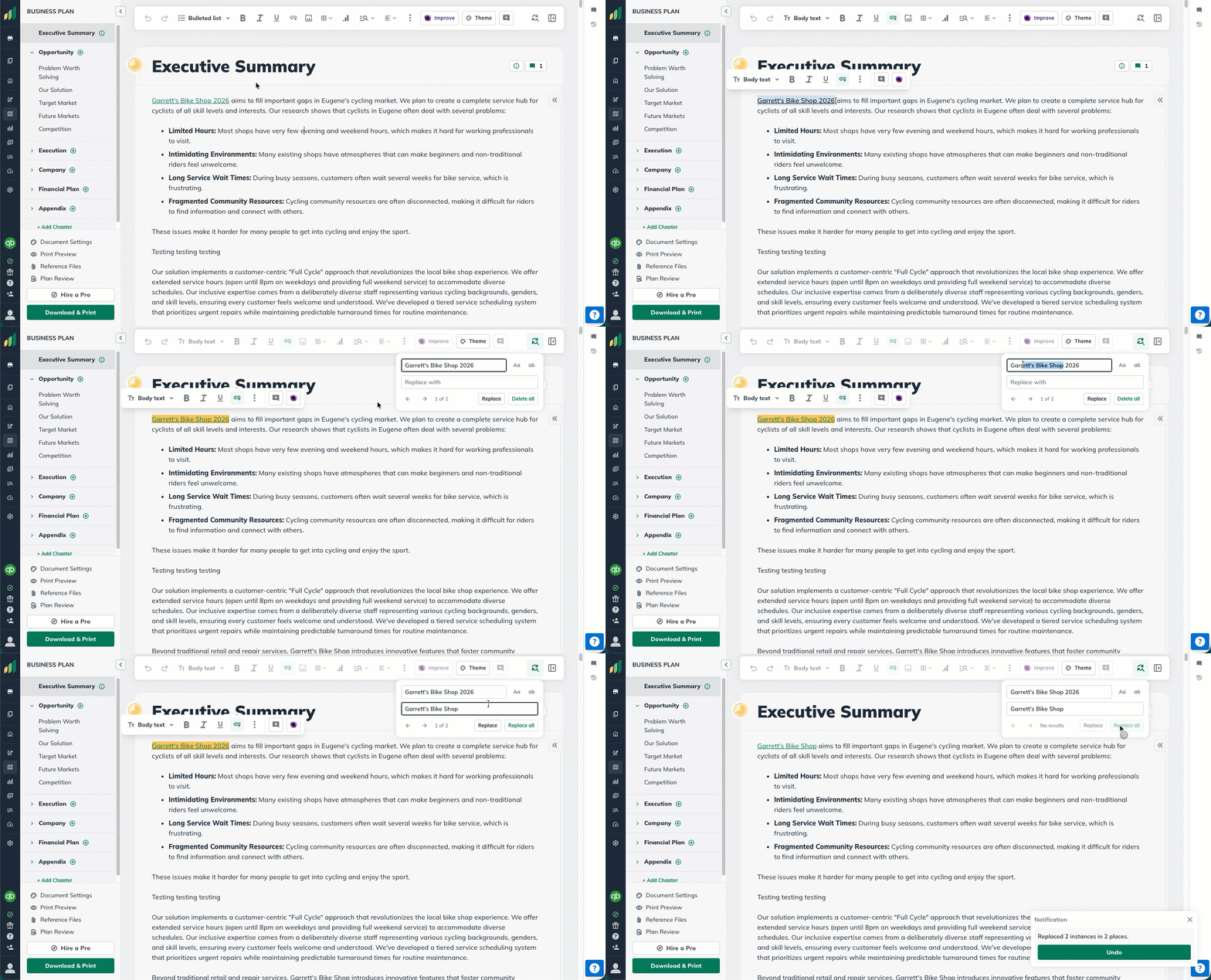
Find & Replace
LivePlan now has a seamless Find & Replace function within the Plan section! While you can still use any native browser Find & Replace, this integrated feature allows you to quickly highlight and update your company name, mission statements, and any other repeated text across your Plan!
AI Powered Forecasting
Help Me Forecast is a guided, question-and-answer experience that helps you build a starting forecast in LivePlan.
This AI-powered tool is designed to get you to a useful starting point quickly. Reviewing and fine-tuning the results in the Forecast lets you apply your own knowledge and make sure the final numbers reflect how you expect your business to operate.
July 2026
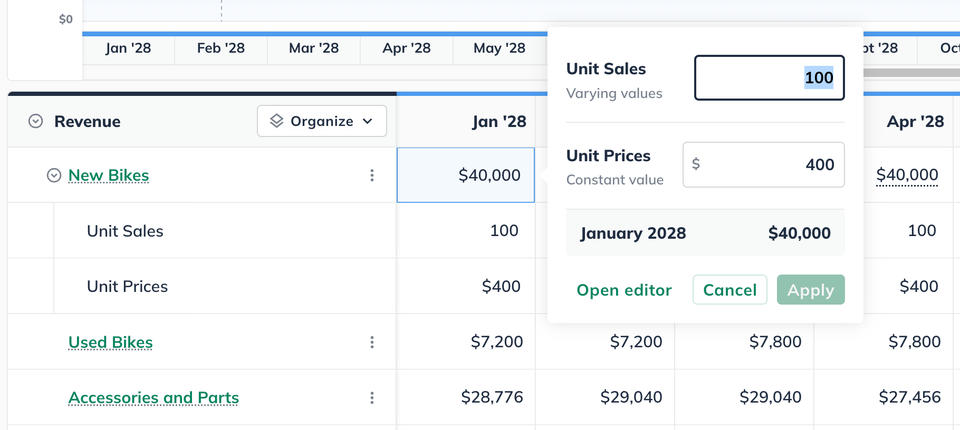
ImprovementBetter Inline Forecast Editing
When using varying amounts over time while forecasting, you can click on any entry to bring up an editing widget that will allow you to edit both values at once, speeding up your work and allowing you to see your values before you apply them.
Item-Level Inventory
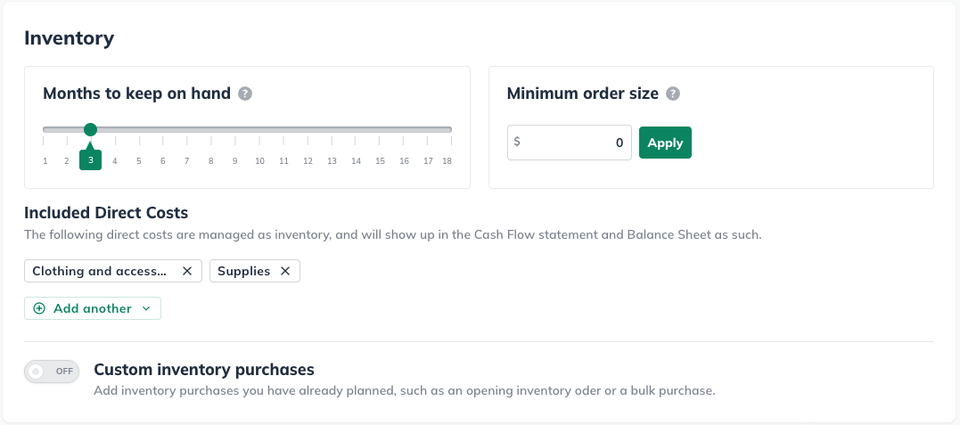
When forecasting your Direct Costs, you can now indicate if it should be included in your inventory cash flow assumptions.
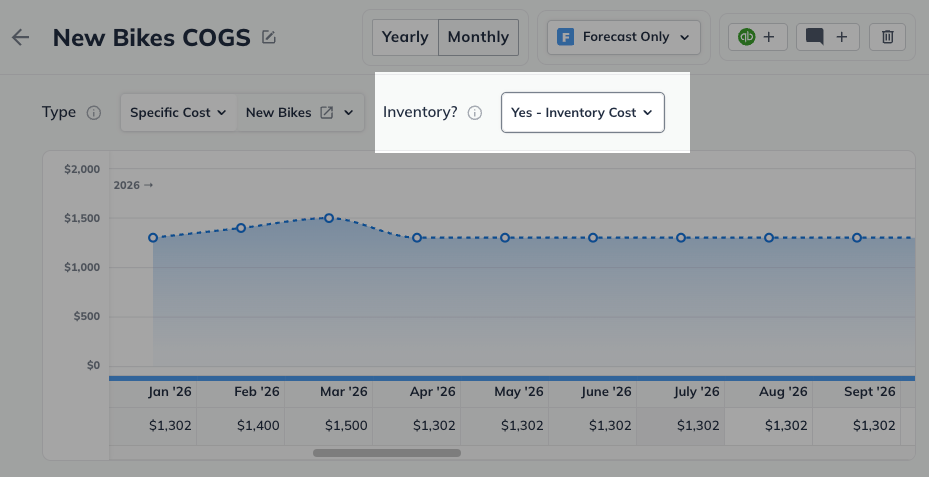
Not every business is the same. This option allows you to have a deeper customization of your inventory ordering, making your cash flow reflective of how you keep your inventory in stock.
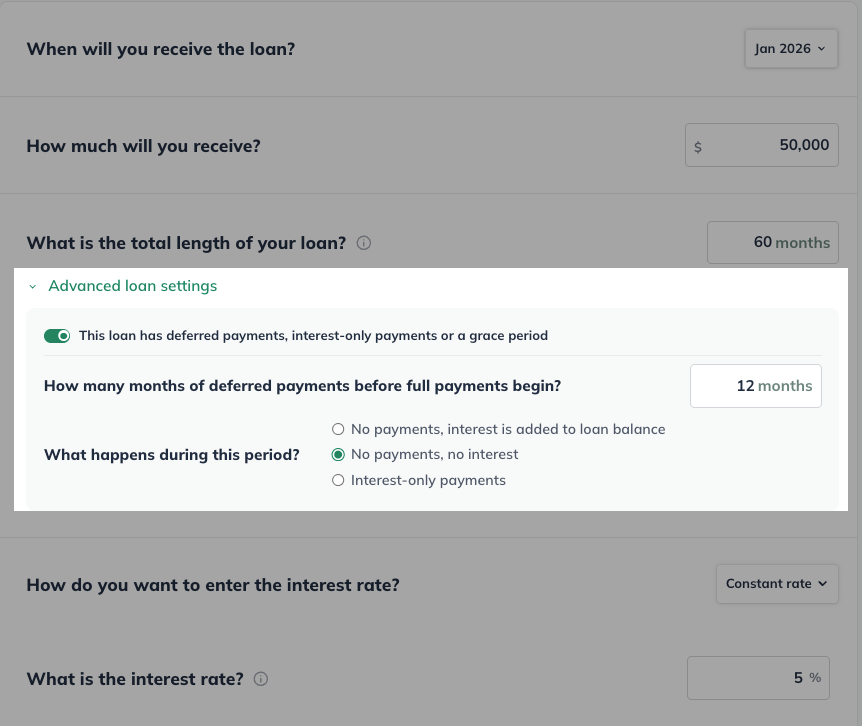
Advanced Loan Settings
It is now much easier to forecast loans with non-standard terms, such as deferred payments, deferred interest, or other non-standard loans by using our Advanced Loan Settings.
LivePlan MCP Connector
The LivePlan MCP connector gives Claude, and other AI agents access your business plan, financial forecast, scenarios, and more. That means you can ask your AI agent to review your plan, update a revenue line, build out a new scenario, or walk you through where your forecast stands from — and it happens in LivePlan, not just in the chat window.
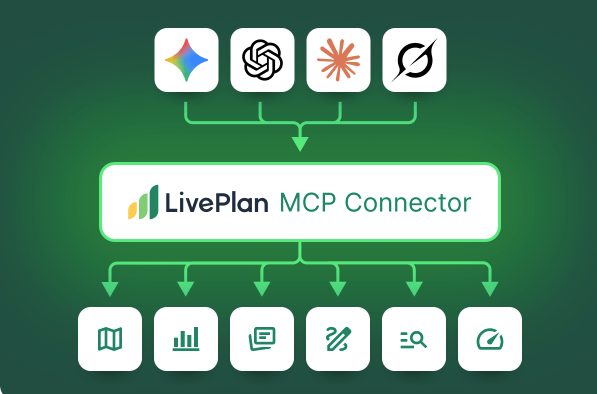
To learn more about the LivePlan MCP connector and how to use it, please read: Using the LivePlan MCP Connector
June 2026
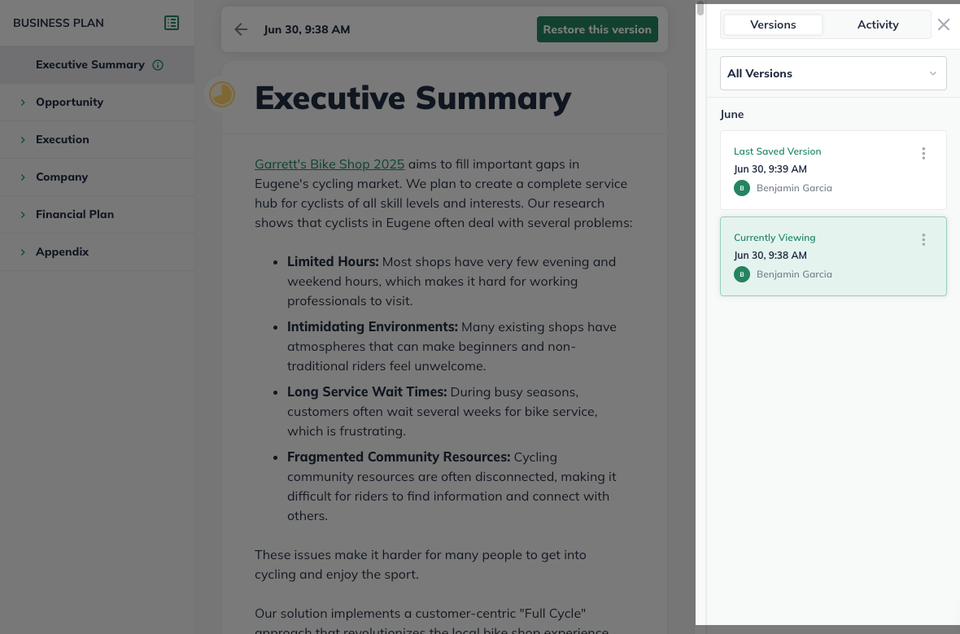
NewPlan Version History
LivePlan now periodically saves a snapshot of the your plan and allows the you to review these versions, restore an older one and rename versions.
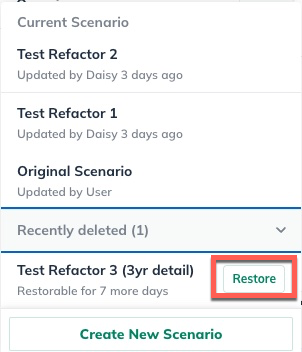
Restore Deleted Scenarios
You now ability to restore a recently-deleted scenario for up to 7 day after its deletion.
April 2026
NewImport Existing Plan Into LivePlan
You can now upload an existing business plan and map it directly into LivePlan, allowing you to start working seamlessly in our proven planning template.
LivePlan Pitch Deck
LivePlan now turns your business plan into an investor-ready pitch deck — with live-linked financials, an expert-curated slide structure, and full editing tools. All inside LivePlan.
March 2026
Company Activity View
We recently added an activity log view that can be found at the top of the righthand column in any of your companies in LivePlan.
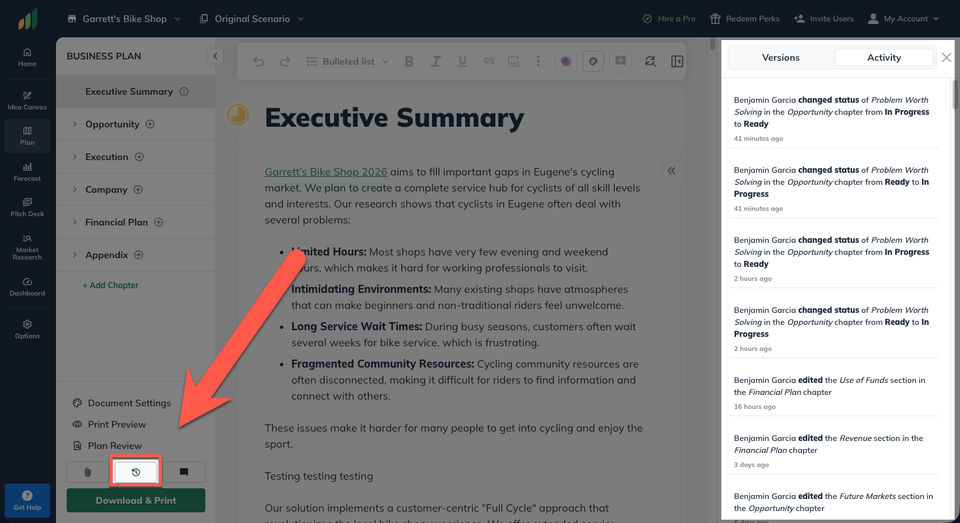
This view is persistent to any section of LivePlan and will list any edits and updates made to your company.
LivePlan Idea Canvas
The LivePlan Idea Canvas helps you organize and refine your business idea by capturing the most important parts of your strategy in one visual workspace.
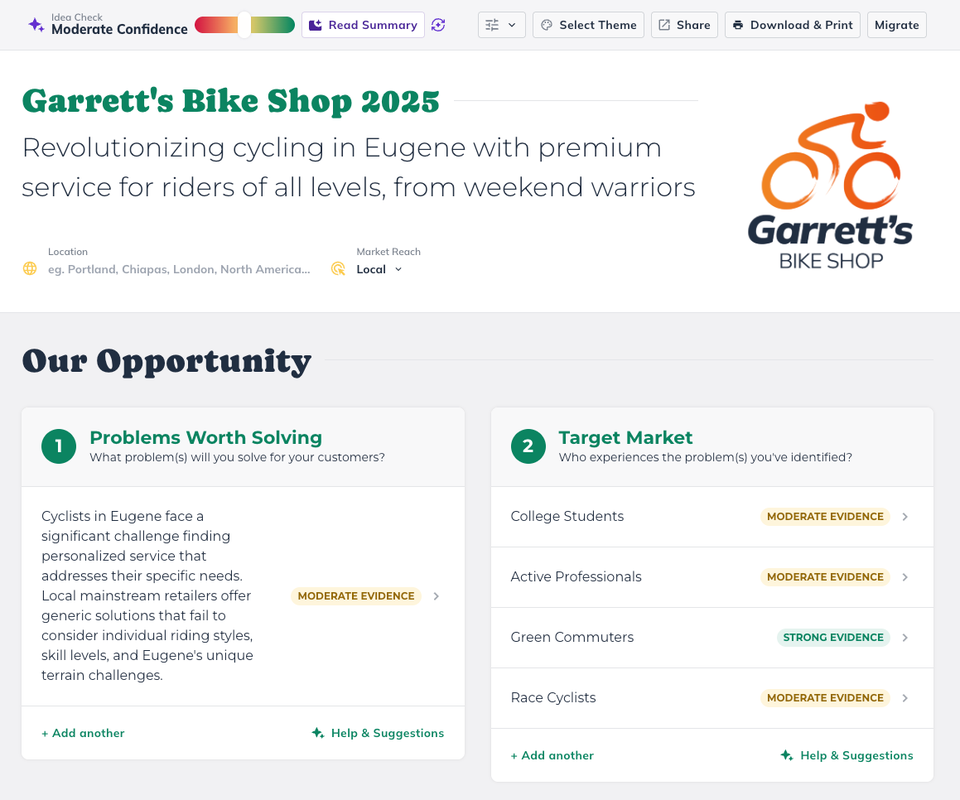
Building off your own knowledge, the Idea Canvas guides you through a process of reviewing and refining key ideas behind your business plan with AI-powered suggestions and real research to help you feel confident that the business idea that you’re presenting is realistic and actionable.
To learn more about this exciting new feature, read: Using the Idea Canvas
Custom Plan Tables
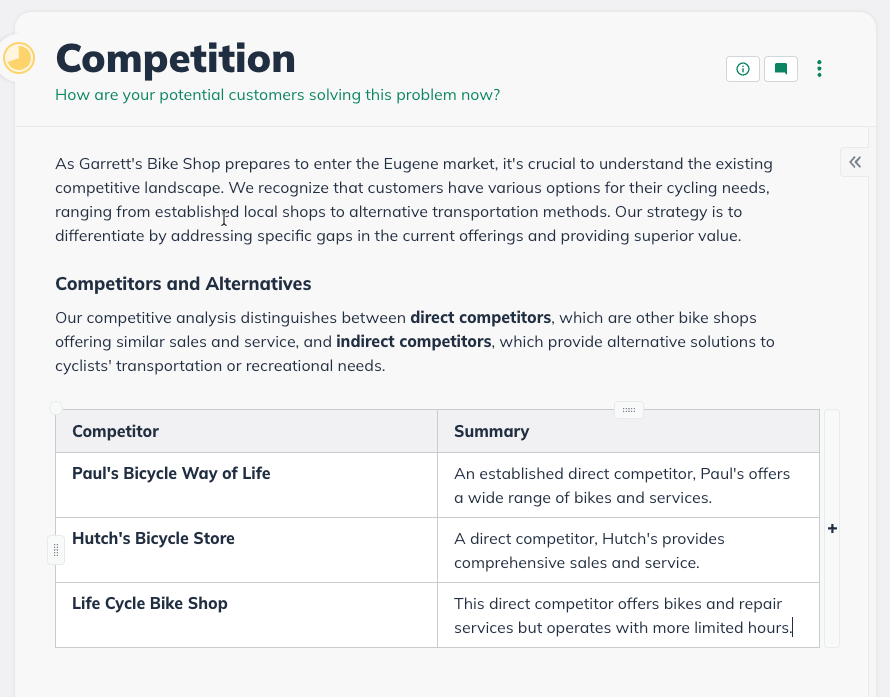
You can now add custom, editable tables directly to your plan sections. Use them to organize written information like competitors, team roles, pricing tiers, or any structured data that's easier to read in rows and columns.
Refer A Friend
Earn rewards by referring others to LivePlan! Give your friends $10 off their first order and receive $10 when they purchase using your custom signup link!

February 2026
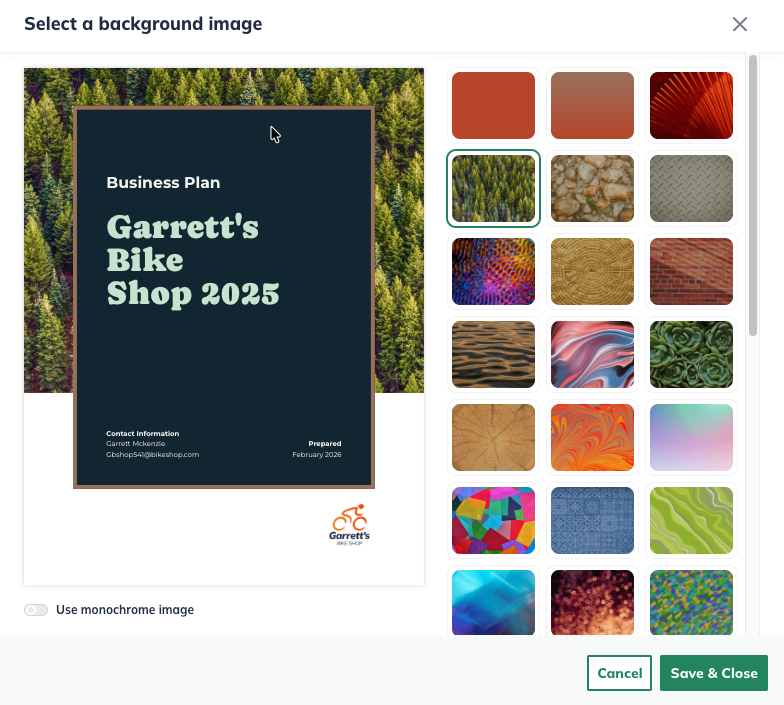
Expanded Plan Themes
You can now customize your plan’s theme with background images that enhance the visual presentation of your exported plan. Choose from a gallery of curated options to add personality, reinforce your brand, and create a more engaging first impression.
AI Plan Review
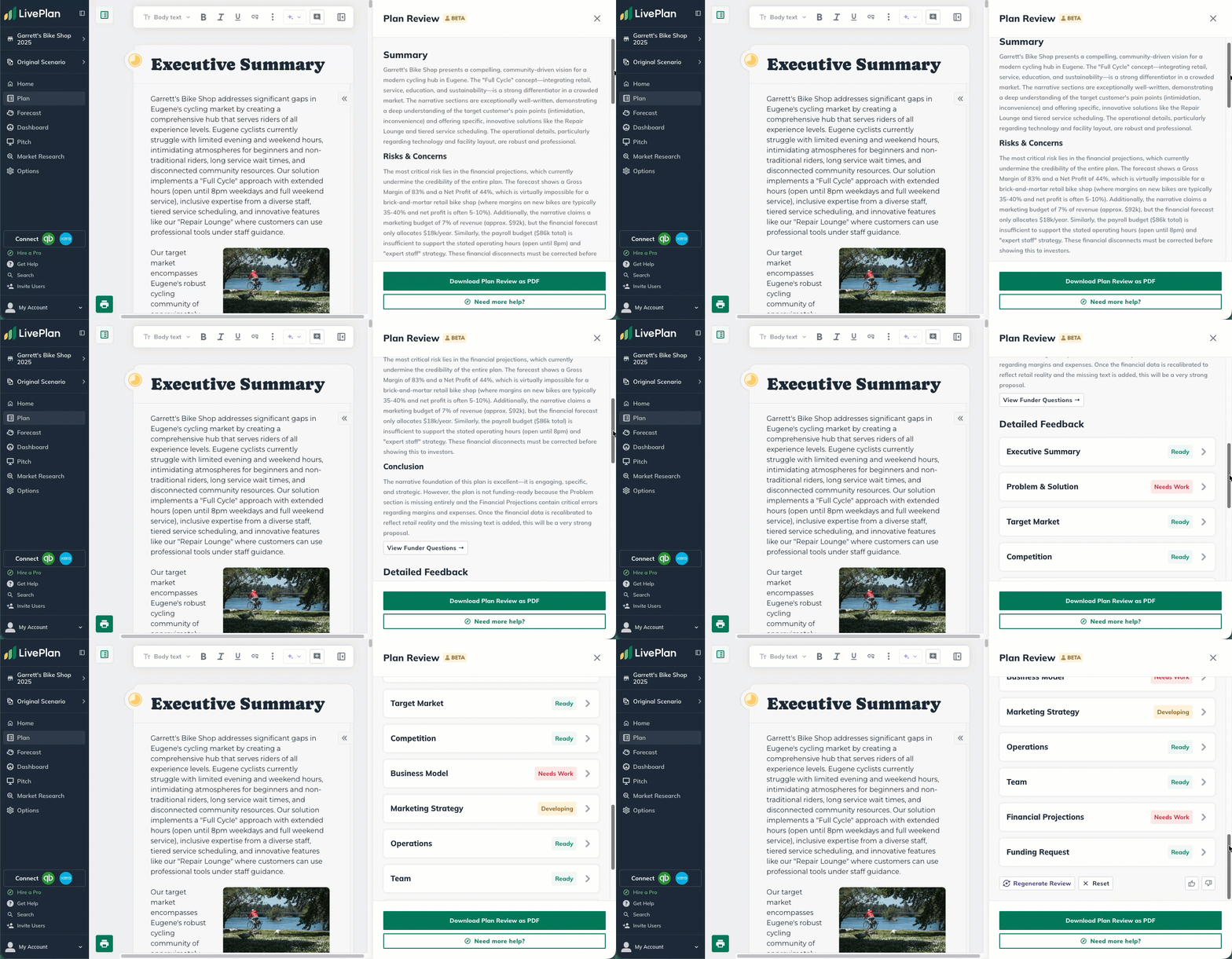
Plan Review gives you a second set of eyes on your business plan. Using AI informed by LivePlan’s business planning expertise, it reviews your content for quality and structure, identifies gaps or weak spots, and offers practical suggestions to help you refine and improve your plan with confidence.
Market Research
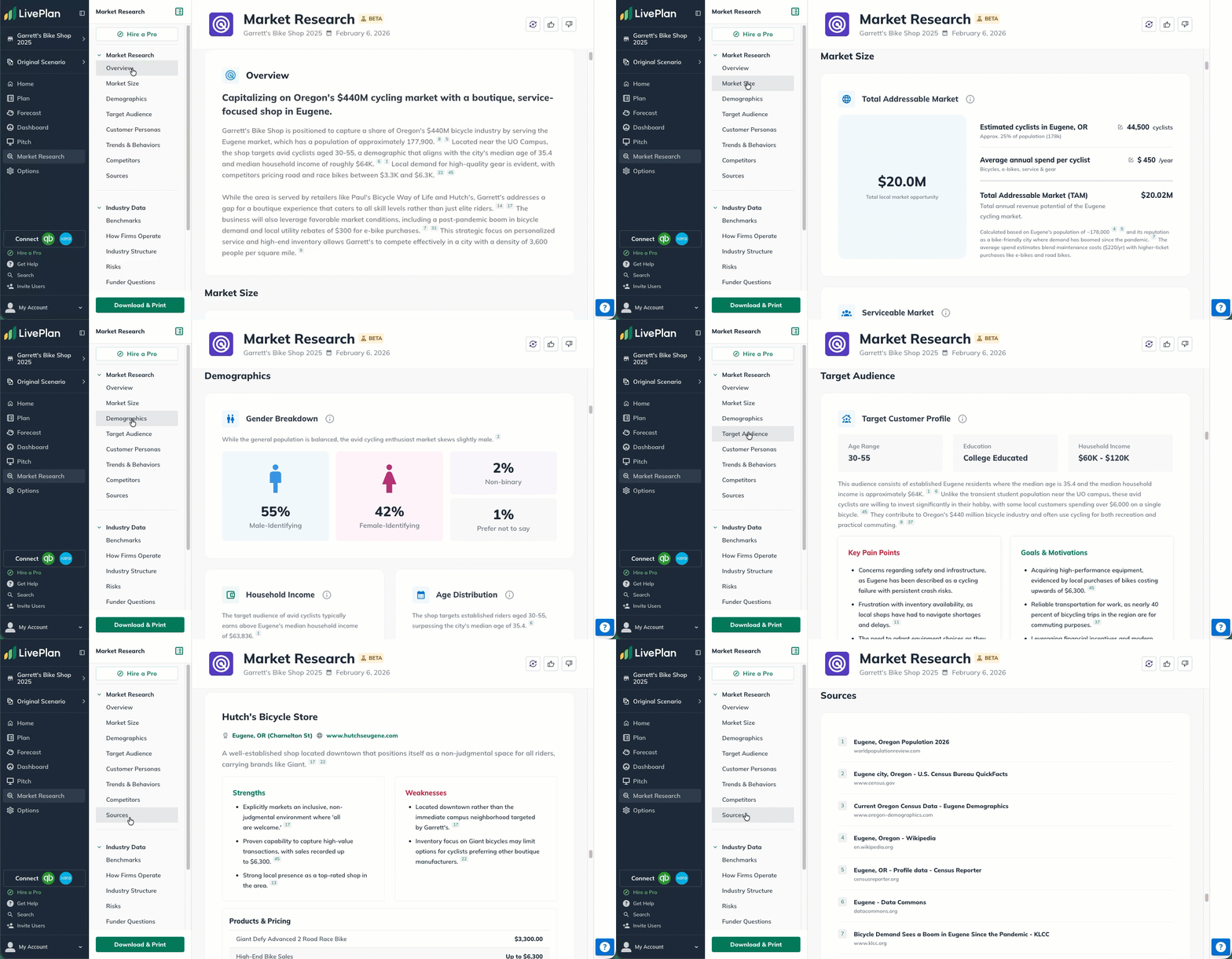
Market Research uses AI-powered deep research to generate personalized market insights for your business. It gathers relevant data, summarizes key findings, and cites its sources, helping you better understand your market and support your plan with credible, research-backed context.
January 2026
The New Plan Experience
The New Plan Experience enhances the best parts of the Classic Plan Experience with a more modern, streamlined workflow.
Write directly in sections without opening a separate editor, use AI to refine exactly the text you want, and place images and charts inline as you build your narrative. With improved formatting controls and Print Preview, you can confidently shape how your plan looks before exporting, while continuing to rely on LivePlan’s proven outline and planning framework.
To learn more about the LivePlan's New Plan Experience, please read our comprehensive guide: The New Plan Experience
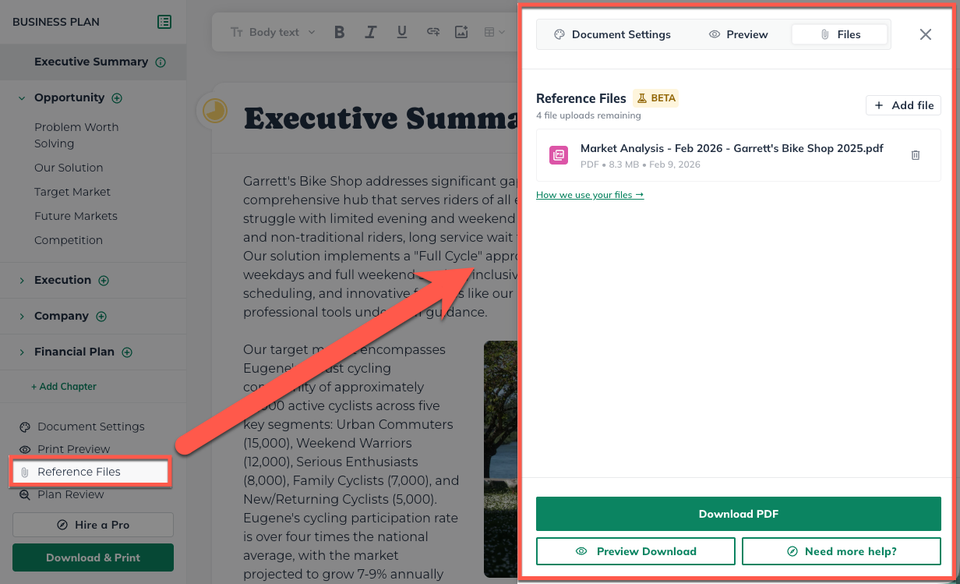
Plan Reference Files
With Document Upload, you can share existing files, such as notes, drafts, or reference documents, in order to give LivePlan’s AI more context about your business. This helps generate writing that sounds like you, not a generic template, and reduces the amount of editing needed later.
November 2025
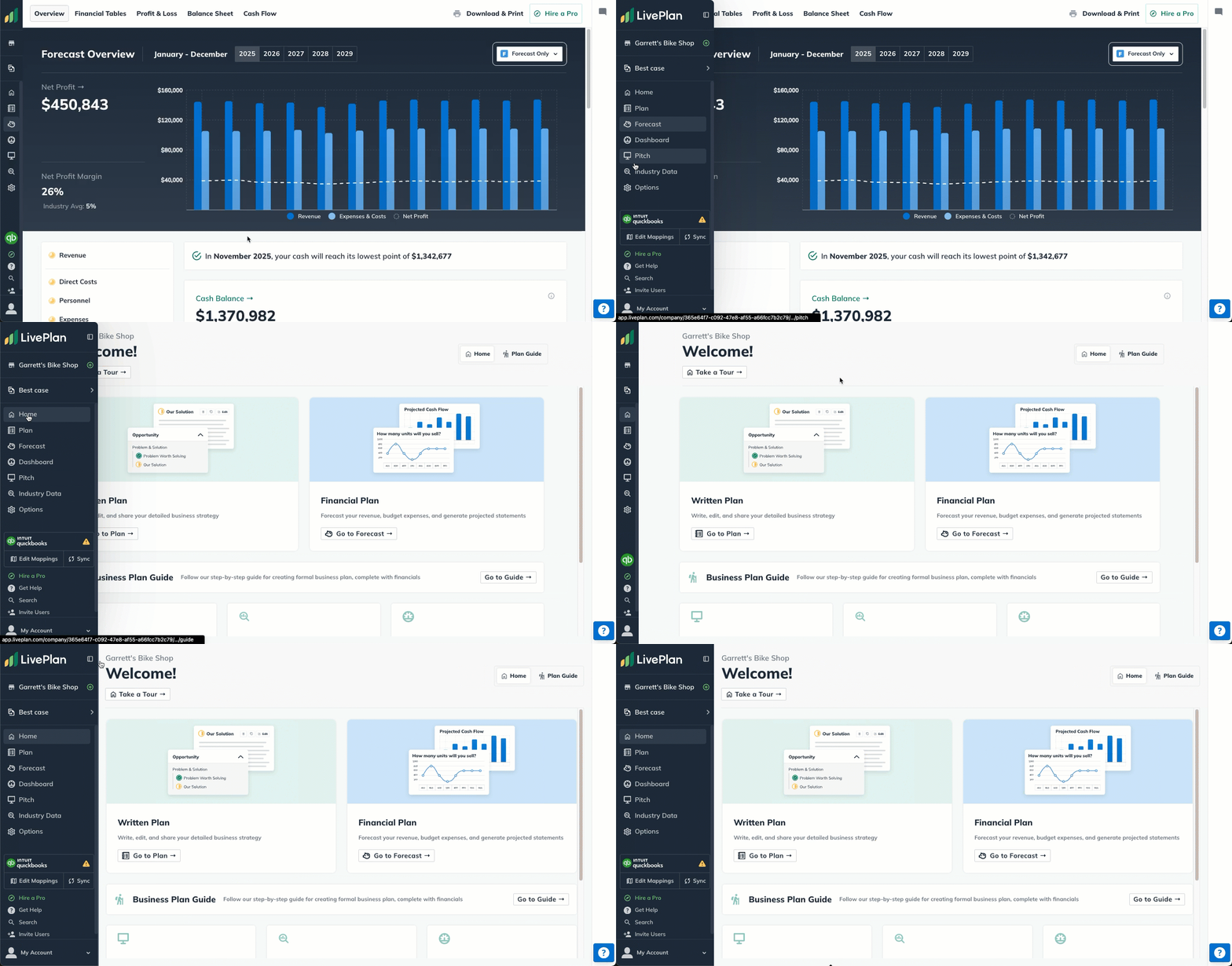
Updated Navigation Menu
The LivePlan left-hand navigation menu has been refreshed with a cleaner look and a new auto-collapse sidebar (also known as a “hover-reveal sidebar”). It stays out of your way while you work and expands when you hover over it. Making it perfect for smaller screens and mobile devices.
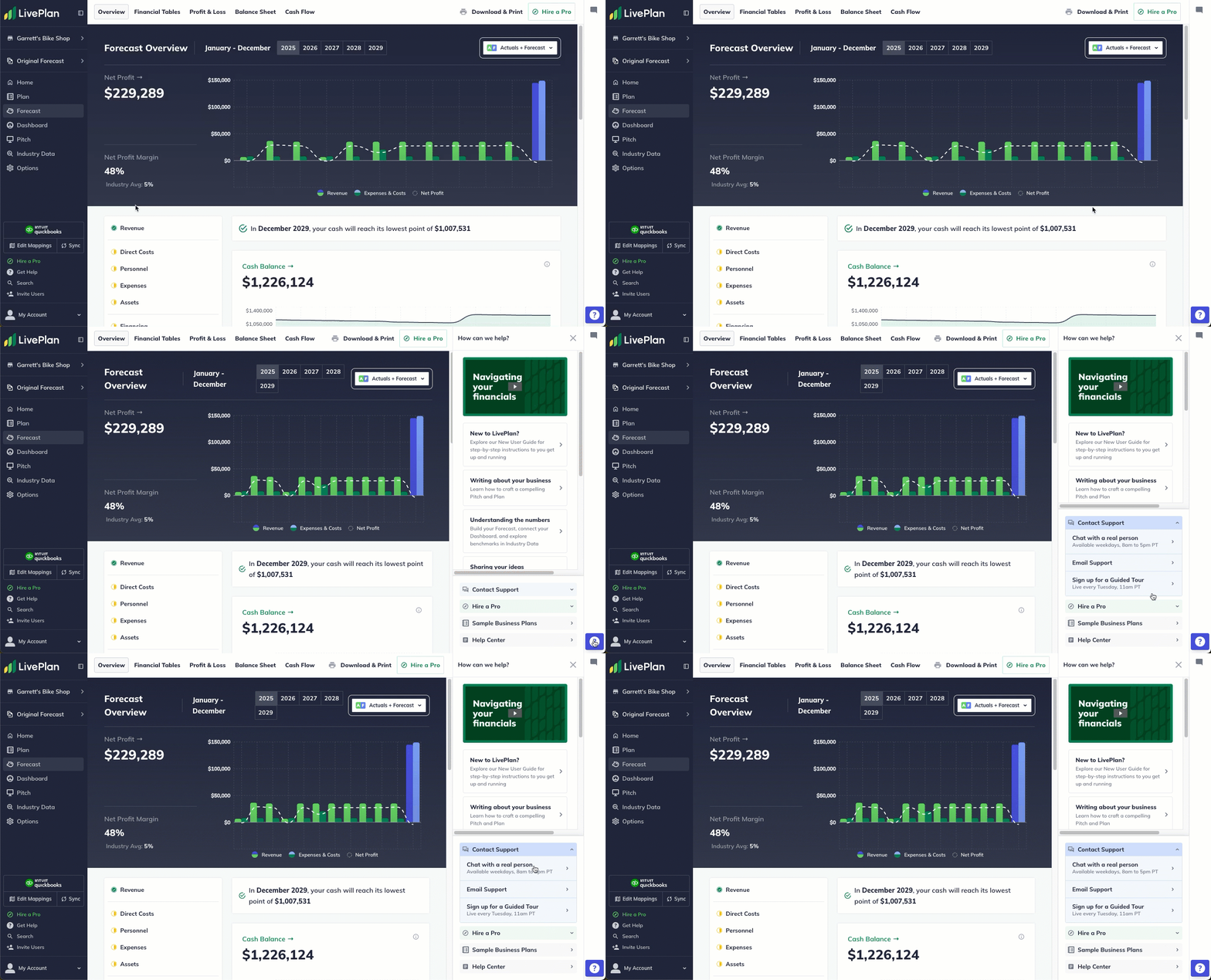
Streamlined Help Menu
We’ve given the right-hand Get Help menu a thoughtful upgrade to make getting assistance smoother than ever. With a cleaner layout and quicker access to key tools, you can now open the chat widget, browse support articles, or connect with our team in just a click.
LivePlan Service Offerings
Looking to elevate your results with LivePlan? You’ll now find a fast, streamlined path to our premium paid services right inside of our Help Menu.
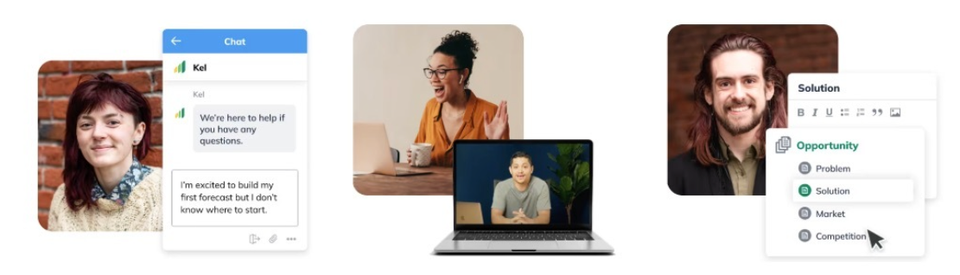
Click on either option below to expand more details about our Services.


We’ve introduced LivePlan Expert, a new paid support service designed for entrepreneurs who want more hands-on guidance.
You can book up to four 1:1 video sessions a month with a member of our Customer Advocacy team, who know the software inside and out. And with priority support included, your questions get answers faster, even outside your scheduled sessions.
If you’re looking for the highest level of support, we’ve made it simpler than ever to sign up for LivePlan Professional Services.

While our free support and LivePlan Expert calls are there to help you do the work yourself, our Professional Service goes a step further. Share your ideas, goals, and vision, and we'll will turn them into professionally crafted business plans, financial forecasts, pitch decks, and more. It’s the most hands-on way to bring your plan to life, and now the process to get started is smoother than ever
October 2025
Forecast Groups
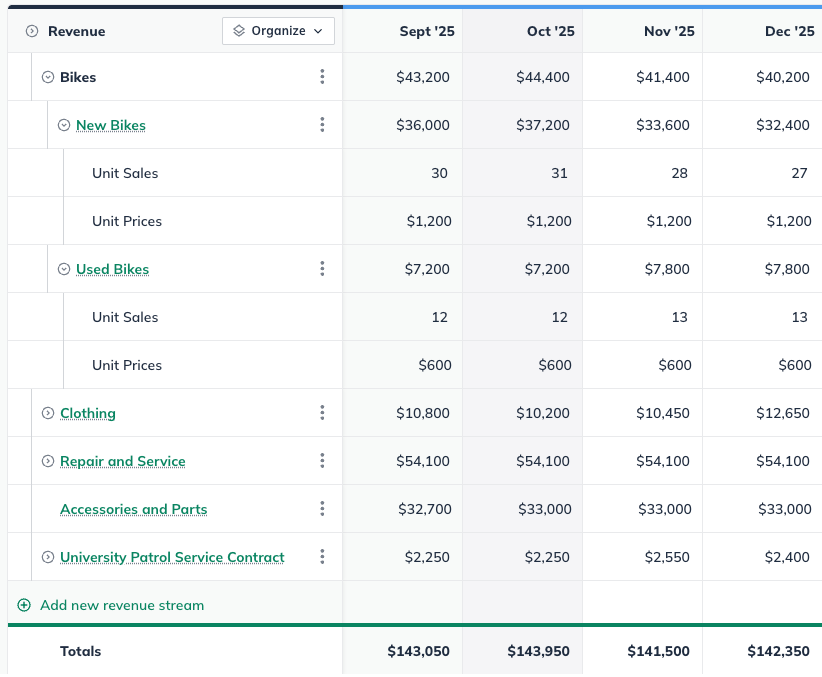
With the new Forecast Groups feature, you can now group related forecast entries into parent/sub-entry hierarchies. The parent line shows the combined total, while individual items remain visible and indented beneath it, making it easier to see subtotals and roll-ups in one clean layout.
September 2025
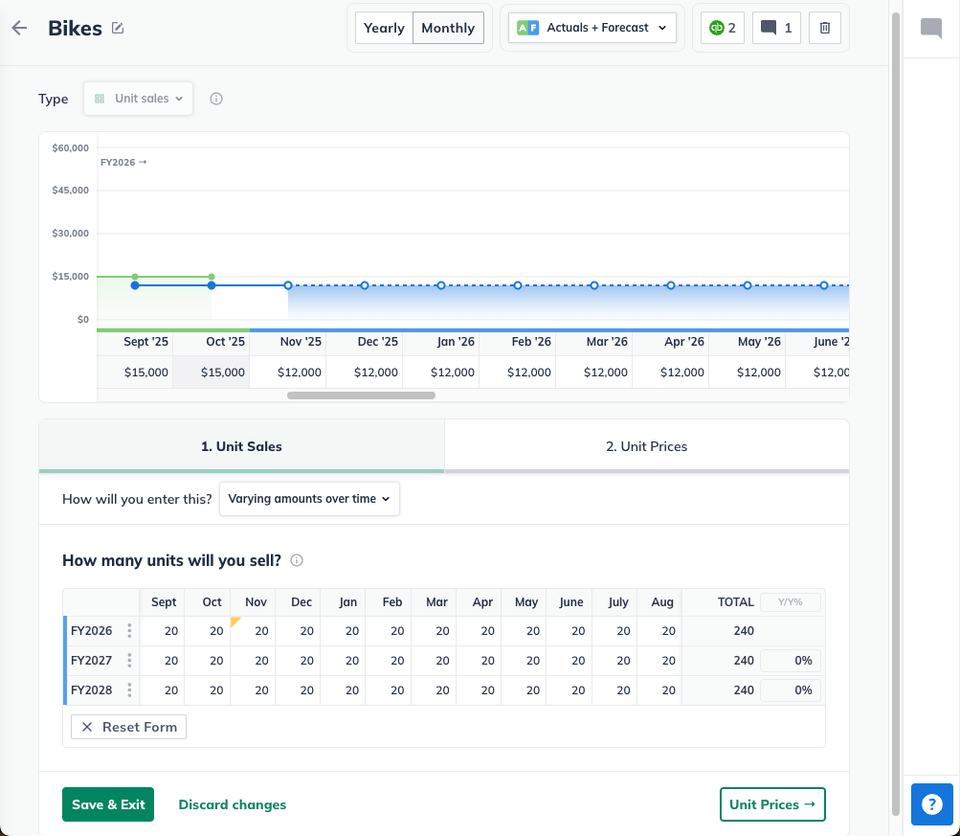
Reimagined Forecast editor
We’ve refreshed the Forecast Editors with a cleaner, more streamlined design that makes working on your financial plan simpler and more intuitive. The new layout improves clarity, reduces extra steps, and makes editing or adding forecast items feel more natural and efficient.
August 2025
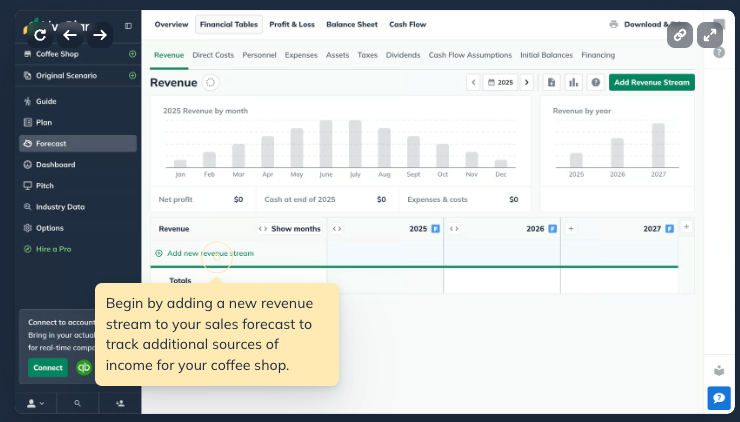
Interactive Arcade demos
Learning LivePlan just leveled up. Our new interactive Arcade demos replace static videos with step-by-step, click-through walkthroughs, showing you exactly where to click and what to do. It’s hands-on learning that lets you master new features faster than ever.
Actuals + Forecast expansion
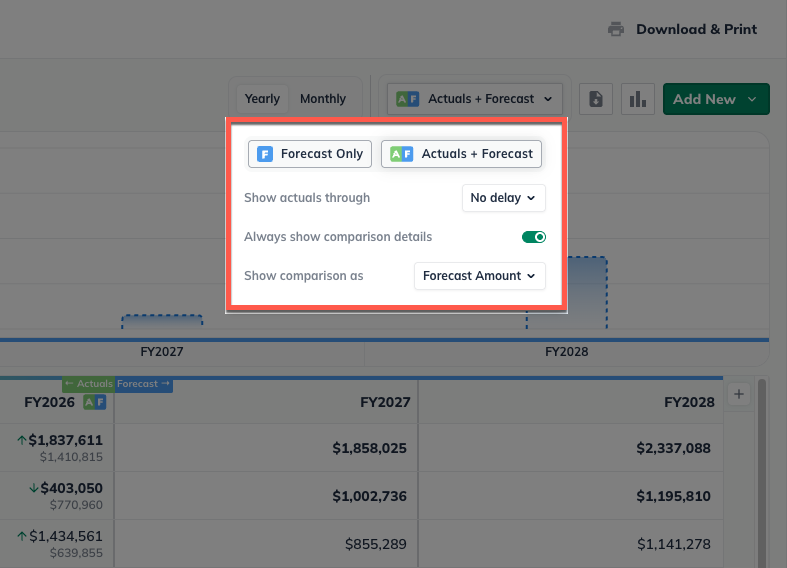
Formerly known as Live Forecast, this feature has grown into a more complete and flexible experience: Actuals + Forecast. It’s no longer limited to the Profit & Loss. You can now view your Revenue, Direct Costs, Personnel, and Expenses side by side with your actuals data.
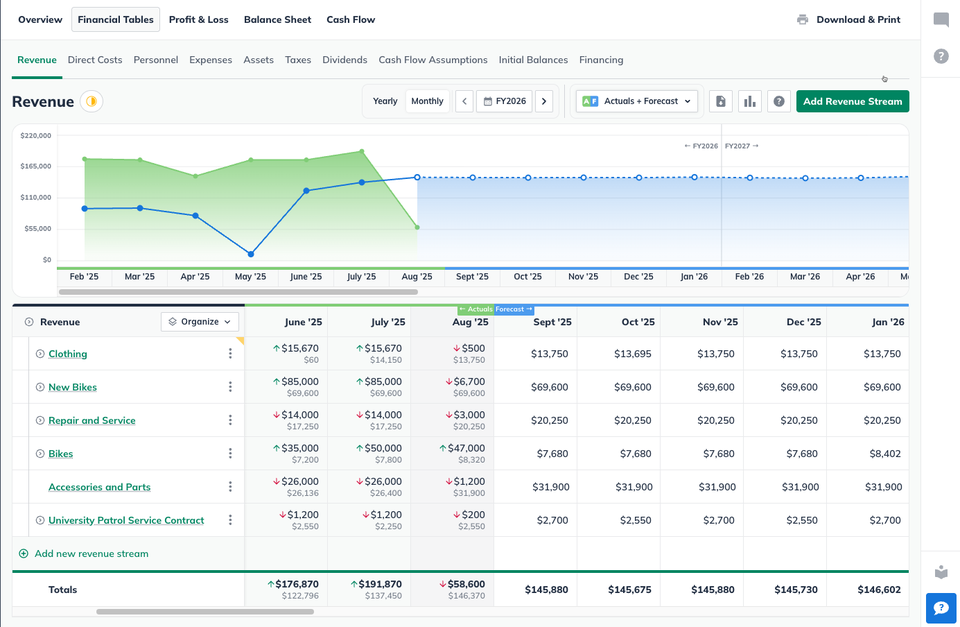
This update gives you a clearer, more detailed understanding of how your projections align with real results across your business. The charts have also been refreshed, moving from basic bar graphs to modern, interactive line charts that make it easier to visualize your trends over time.
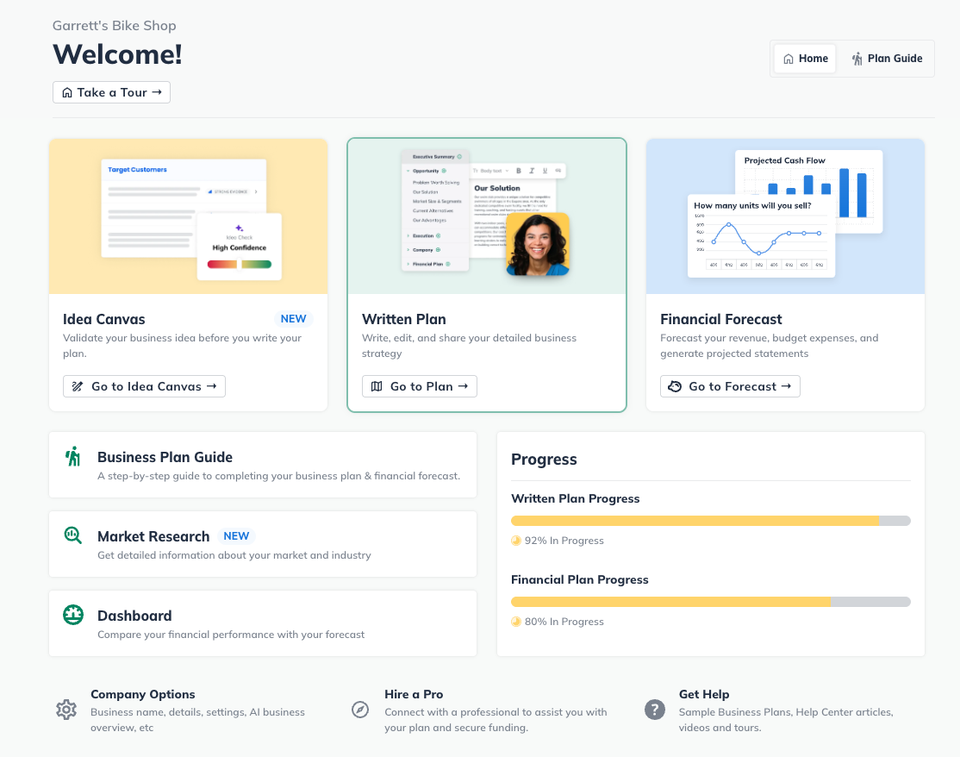
LivePlan Home section
Meet your new starting point in LivePlan: the Home section. It brings together the LivePlan Guide and quick links to every part of your plan, giving you a central hub for your planning and management work. It’s the best place to begin your next big idea.