
Using the Idea Canvas
The LivePlan Idea Canvas helps you organize and refine your business idea by capturing the most important parts of your strategy in one visual workspace. This guide introduces how the Idea Canvas works and what you’ll find inside it.
Building off your own knowledge, the Idea Canvas guides you through a process of reviewing and refining key ideas behind your business plan with AI-powered suggestions and real research to help you feel confident that the business idea that you’re presenting is realistic and actionable.
Note: For a light overview of the Idea Canvas, jump to Quick Answers & FAQ
Navigating the Idea Canvas
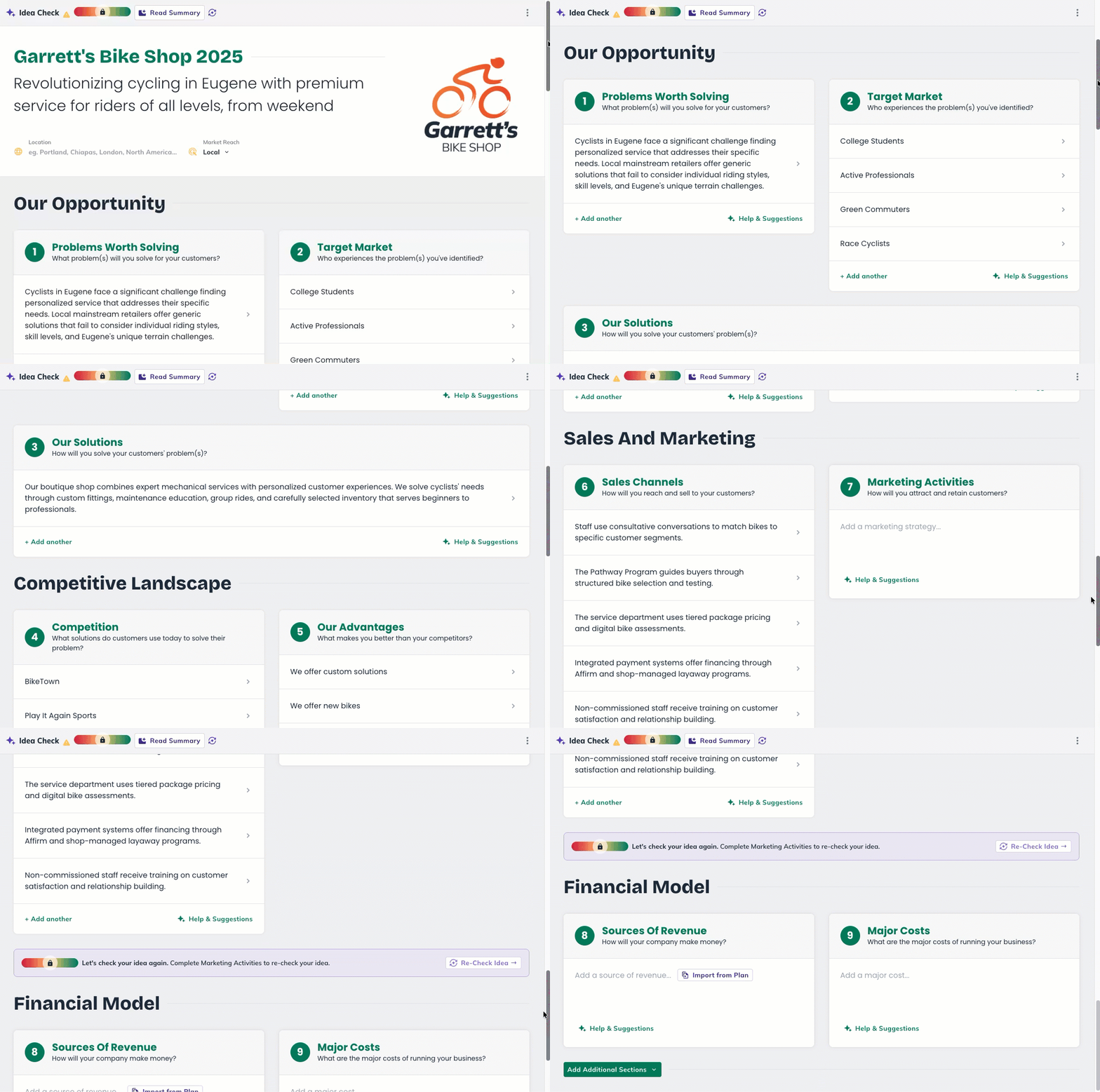
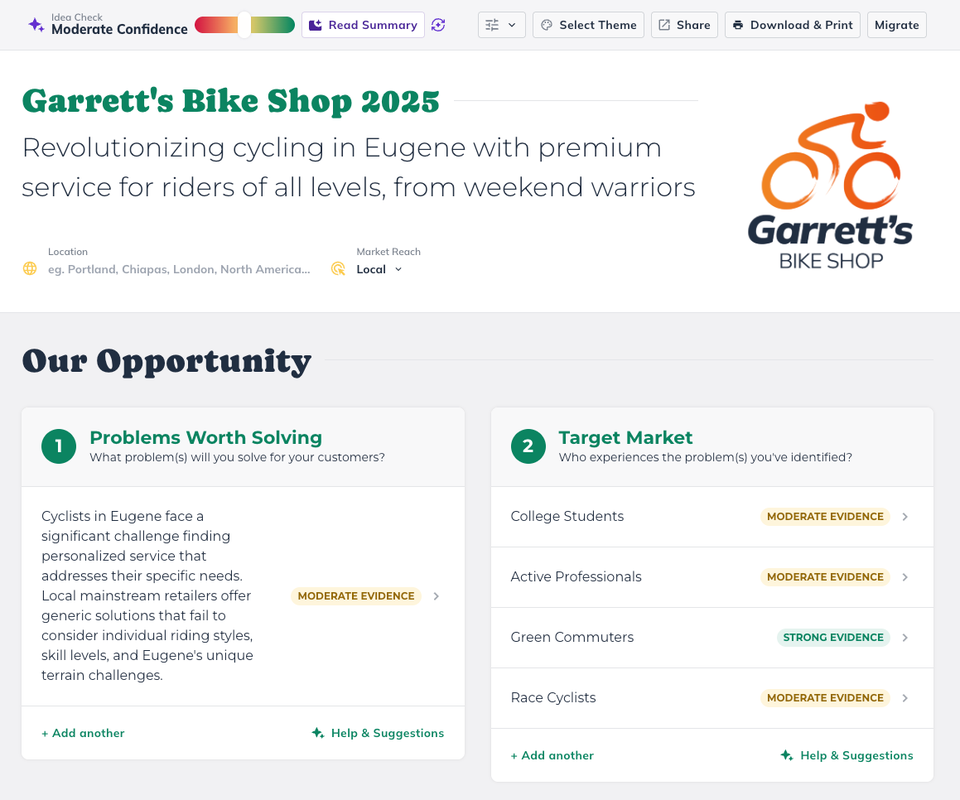
When you open the Idea Canvas, you’ll see your workspace organized into chapters. Each chapter contains numbered sections that focus on a different part of your business idea.
At the top, you’ll find your business name, a short description, your location, and your market reach.

Below that, the canvas lays out your sections:
Our Opportunity
Competitive Landscape
Sales & Marketing
Financial Information
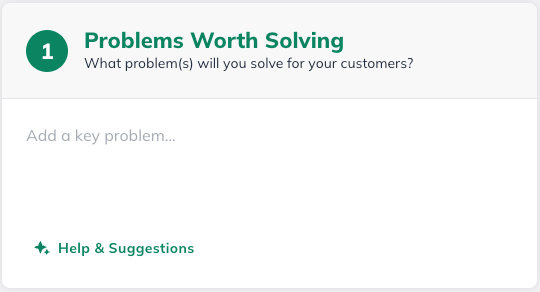
Each section includes a guiding question to help you get started, a text field for adding short entries, and two tools you’ll see throughout the canvas:
Help & Suggestions
Generates AI-powered ideas based on what you’ve already added to your canvas. These suggestions are specific to your business, not generic advice.
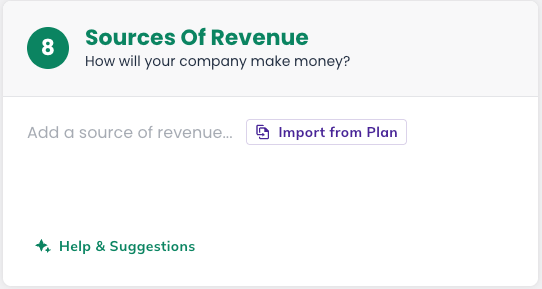
Import from Plan
If you’ve already started a business plan in LivePlan, this pulls your existing content into the canvas so you don’t have to re-enter it. Imported content also feeds into the Idea Check analysis.
In the top-left corner, you’ll notice the Idea Check confidence thermometer. This tracks how well-supported your business idea is as you build it out.

Note: You’ll learn more about Idea Check later in this article: Idea Check at a Glance
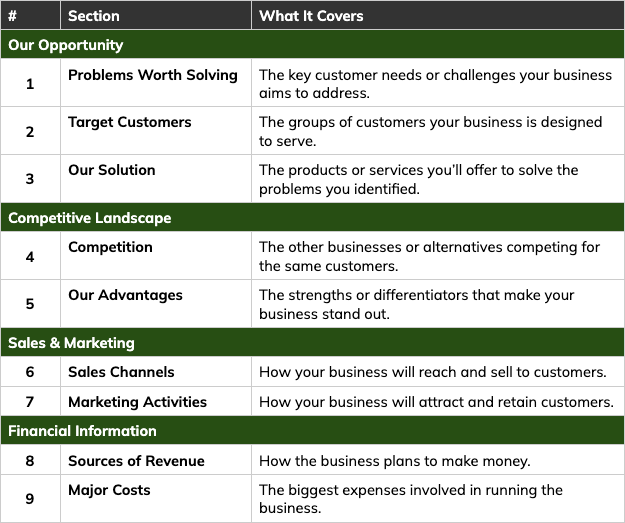
Idea Canvas Sections at a Glance
The Idea Canvas breaks your business idea into key areas, organized by chapter. Each section focuses on a specific part of how your business works. Here’s what you’ll find:
Additional Sections
You can add optional sections to your Idea Canvas to capture more detail about your team, partnerships, and goals.
These appear at the bottom of the canvas when you click Add Additional Sections.

Team and Key Roles — the people and expertise needed to build and operate the business.
Partners and Resources — important external partners, suppliers, or assets that support the business.
Milestones — key goals or achievements that mark progress as the business grows.
For a detailed walkthrough of each section — including examples and tips for what to add — see Working in the LivePlan Idea Canvas.
Available Canvas types
The Idea Canvas also includes additional Canvas types to use depending on where you're at in your business planning journey: Lean Canvas and Business Model Canvas.
The two additional Canvas types will have different chapters and sections based on their intended use case.
Lean Canvas
Focuses on finding a problem-solution fit for early-stage startups
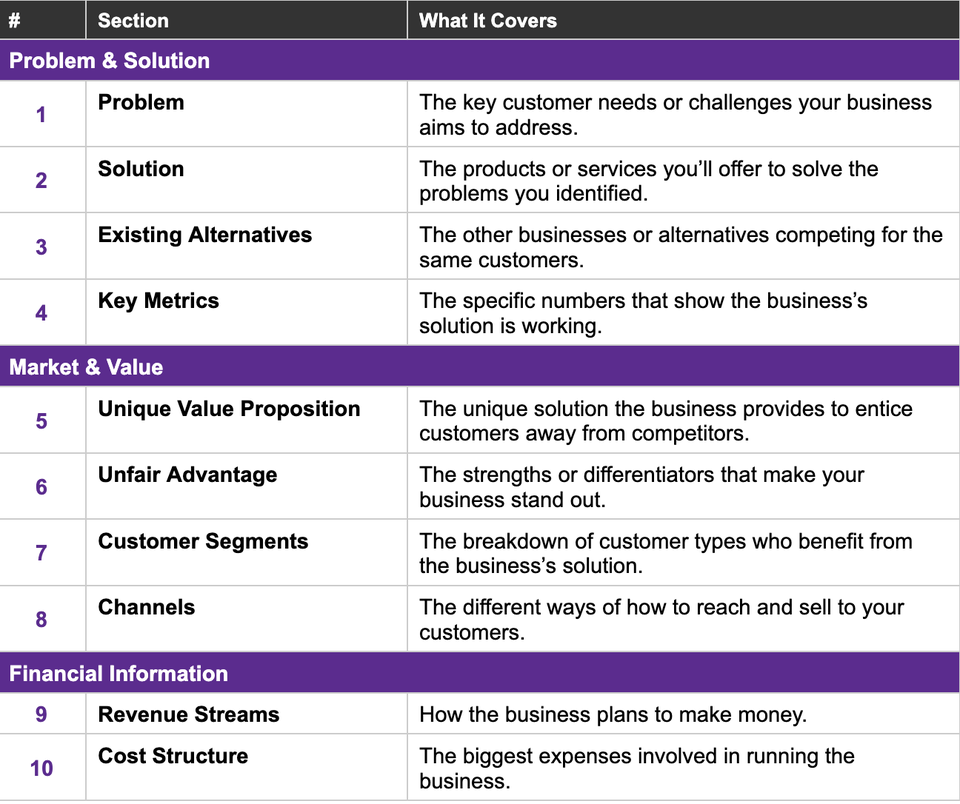
Business Model Canvas
If you've validated your idea already but need to work out your operational needs
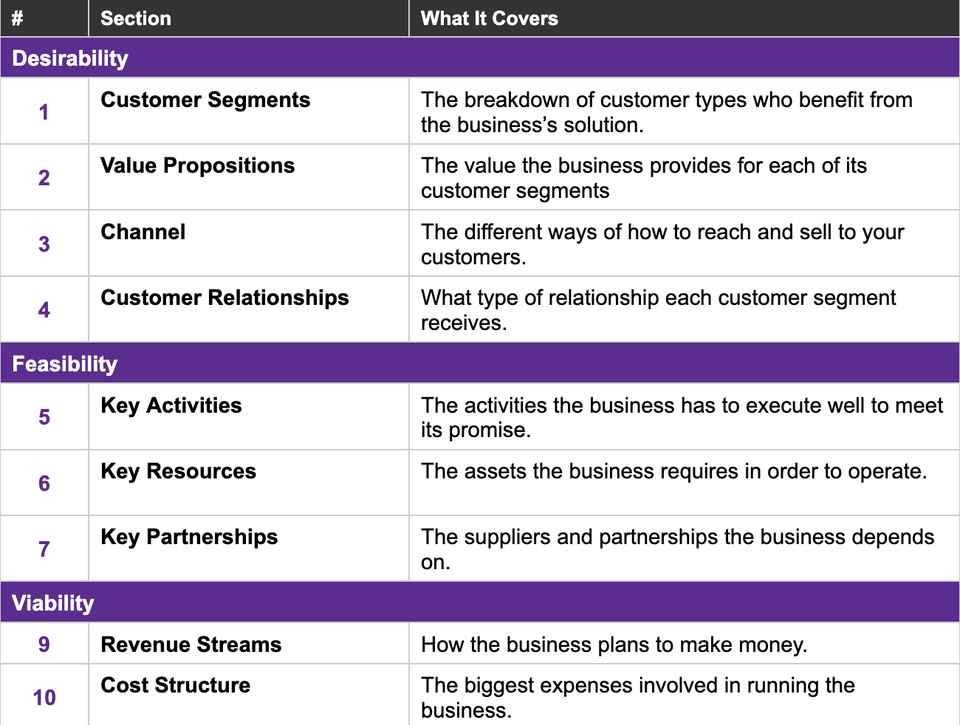
Note: The only major difference between the canvases comes down to restructuring and renaming the existing chapters and sections to be specific to a use case or audience. This is why you'll see your content remain the same, but renamed and/or moved to a different chapter.
Idea Check at a Glance
As you add ideas to your canvas, the Idea Check feature evaluates how well-supported your business idea is using real research and evidence.
You’ll see it as a confidence thermometer in the top-left corner of your canvas.
Idea Check unlocks after you fill in the Our Opportunity chapter: That's Problems Worth Solving, Target Customers, and Our Solution.
Once those sections have content, you can click Check Idea Now to run your first check.

After running Idea Check, you’ll see a report including the confidence level that reflects the overall strength of your idea:
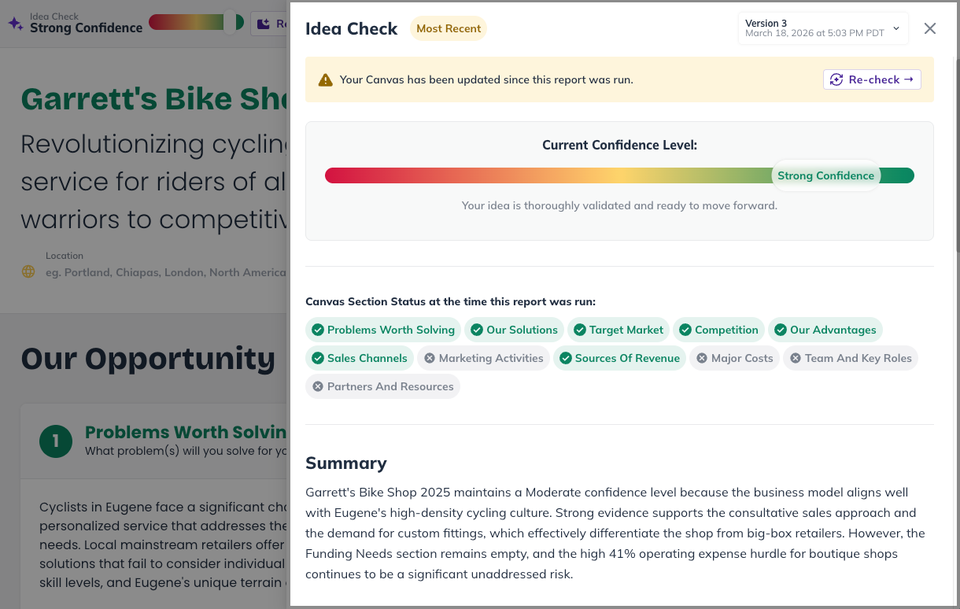
Don’t worry if your confidence level starts less than perfect. That’s completely normal. Many new business ideas begin with untested assumptions.
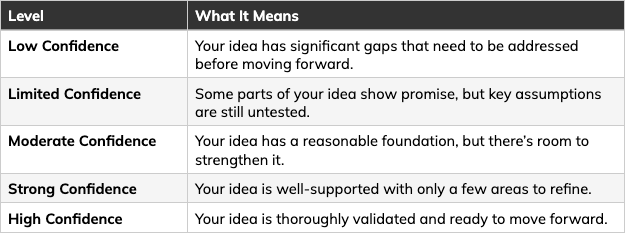
The goal is to fill in more sections, act on Idea Check’s feedback, and re-run the check as your canvas grows. Each re-check captures a new snapshot so you can see your progress.
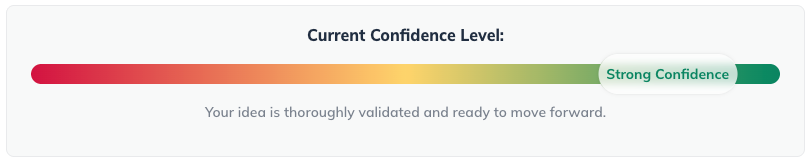
Expand any of the topics below for more details about that type of Idea Check feedback.
What the Idea Check panel tells you
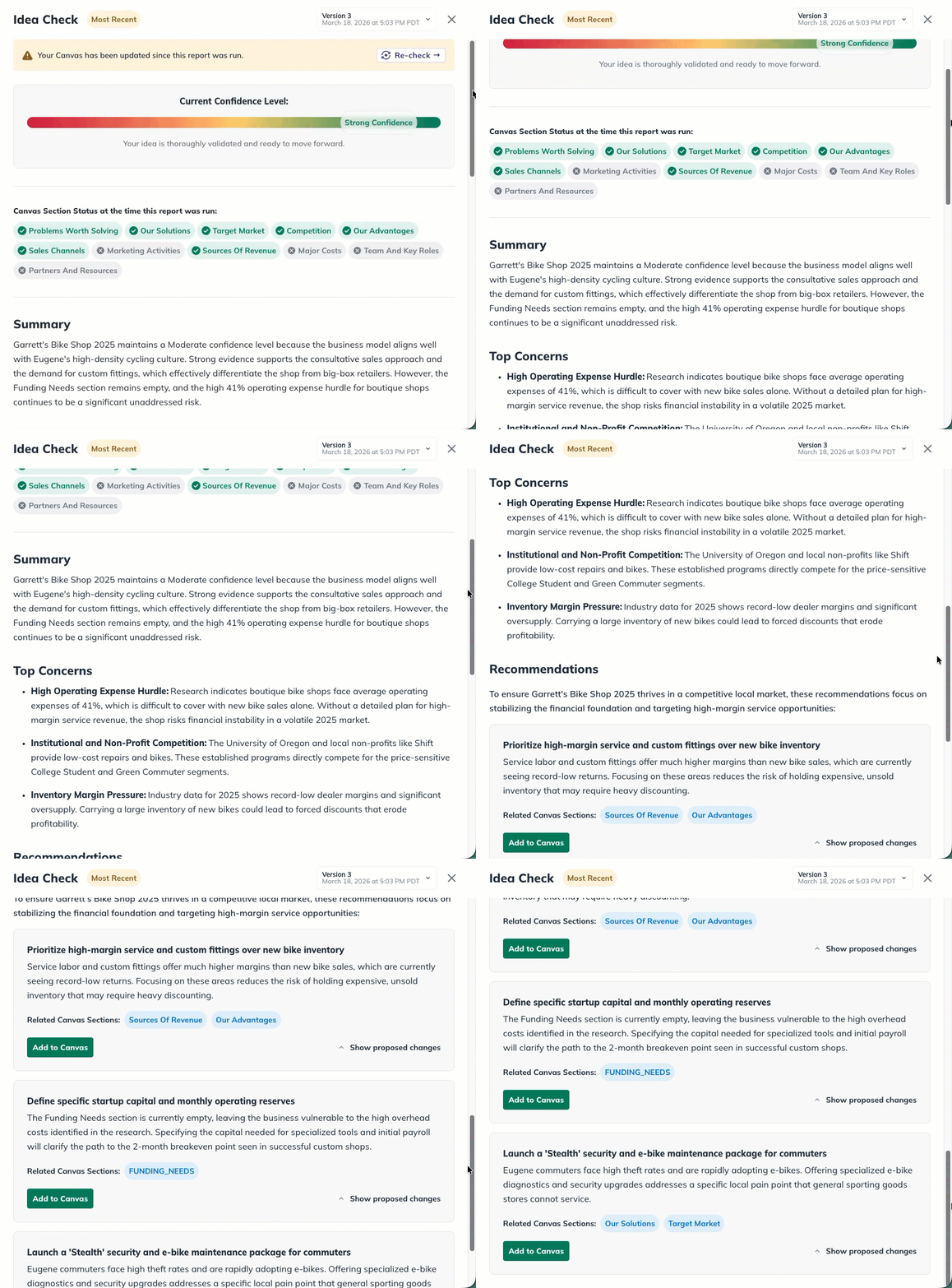
When you run Idea Check, you get a detailed panel that includes:
A summary of your idea’s current strengths and vulnerabilities.
Top risks — the most significant areas where your idea may face challenges.
Recommendations — specific, actionable suggestions that can be applied directly from the Idea Check panel.
Idea Canvas Evidence Badges
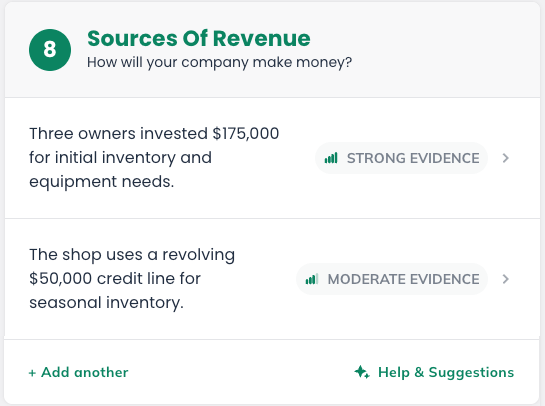
You’ll also notice that individual entries in your canvas receive evidence badges after running Idea Check.
You’ll also notice that individual entries in your canvas receive evidence badges after running Idea Check.
Idea Canvas Evidence Panels
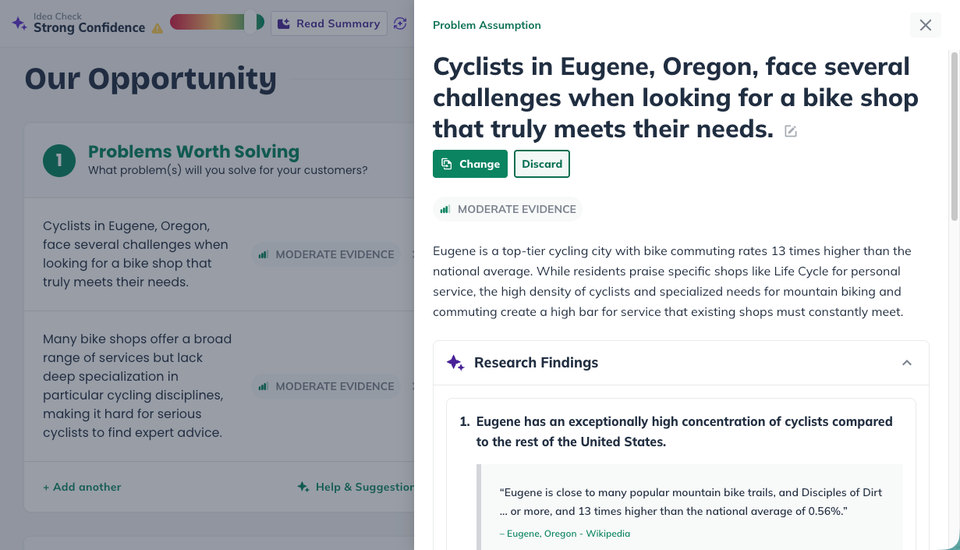
Click any evidence badge to review the research behind the current findings.
You can expand any entry to see the research findings, sources, and suggested next steps.
These show what kind of evidence deep research found for each assumption you’ve made.
Quick Answers & FAQ
What is the Idea Canvas?
The Idea Canvas is a structured workspace where you can explore, organize, and refine the key pieces of your business idea.
Instead of building long, detailed sections, you capture short ideas about your customers, solution, and strategy in one place.
As you add and refine those ideas, LivePlan helps you evaluate and strengthen your thinking using real research, AI suggestions, and actionable feedback.
Who can use the Idea Canvas?
Do I need to complete it before my plan?
Continue Learning About the Idea Canvas
Now that you know what the Idea Canvas is and what you’ll find inside it, you can learn more about the Idea Canvas based on the type of help that you need:
Working in the LivePlan Idea Canvas
A how-to guide for adding ideas, working with each section, running Idea Check, and exporting your canvas.