
Using Help Me Forecast
Help Me Forecast is a guided, question-and-answer experience that helps you build a starting forecast in LivePlan.
This AI-powered tool is designed to get you to a useful starting point quickly. Reviewing and fine-tuning the results in the Forecast lets you apply your own knowledge and make sure the final numbers reflect how you expect your business to operate.
How to use Help Me Forecast
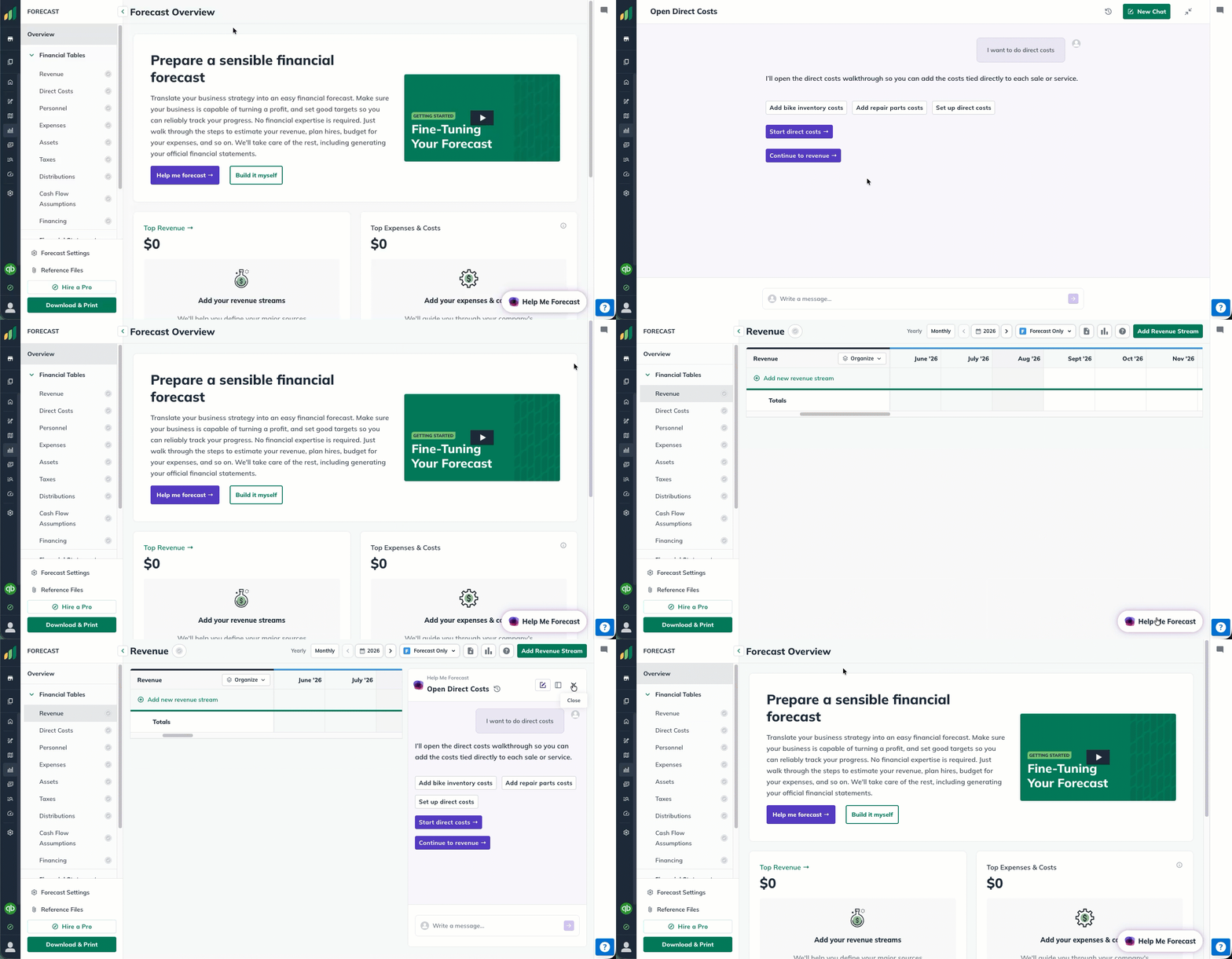
For new forecasts, you can open Help Me Forecast from the Forecast Overview.
You can also open Help Me Forecast from within any individual financial table.
Should I use reference files?
Absolutely! If you already have business-specific assumptions, calculations, notes, or other supporting documents, consider adding them as Reference Files before you begin. Help Me Forecast can use the information in supported reference files as additional context while it builds your forecast.
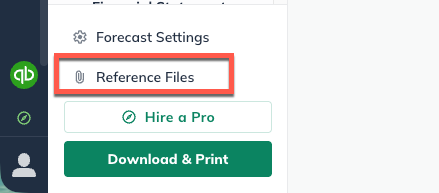
Note: If you don't have reference files available, don't worry! LivePlan's Help Me Forecast will use your Plan, Idea Canvas, Company Description, and Market Research sections as context even without any provided financial documentation!
What if I have existing financials already?
If you already have a financial forecast in a spreadsheet, Import Financials can use it to build your forecast in LivePlan. Upload an Excel or CSV file, and Help Me Forecast will map your data into LivePlan's forecast structure. You will then review and approve the proposed entries before anything is created.
Import Financials is designed to create a new forecast from a spreadsheet — it's not for adding a spreadsheet to a forecast you've already started in LivePlan.
Work through the guided questions
You don't need to know every number before you begin. The guided questions are designed to help you work through the decisions involved in creating the forecast rather than starting from a blank financial table.
Summary: Help Me Forecast
LivePlan will ask you questions about your business.
You provide answers, provide corrections, and approve entries.
LivePlan's Help Me Forecast then applies these entries to your forecast section!
Step-by-step Guide: Help Me Forecast
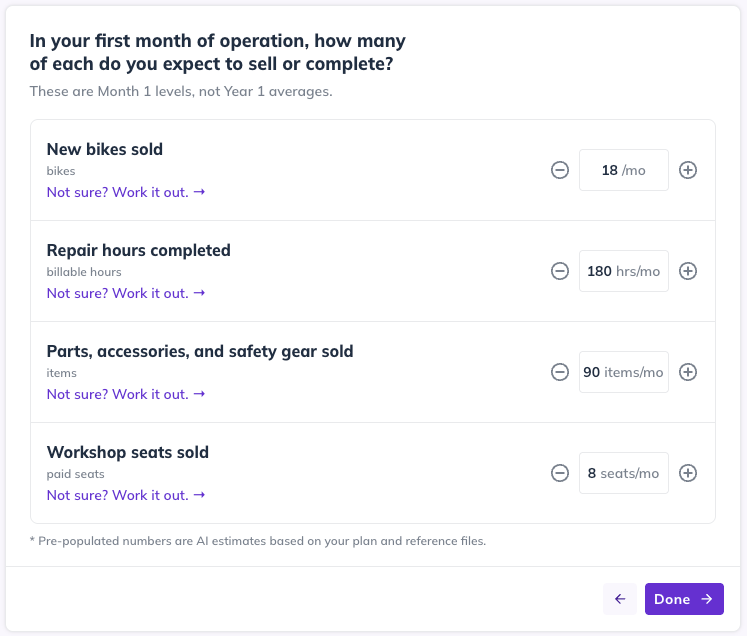
Help Me Forecast asks questions about your business and the assumptions behind that part of your forecast.
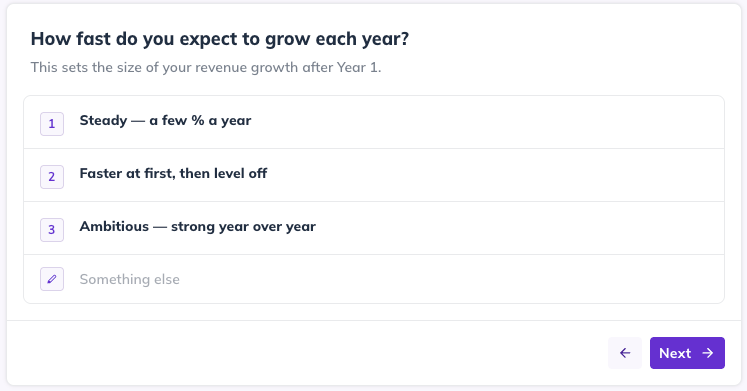
You provide the information you already know and use any calculation tools or follow-up questions that appear.
Help Me Forecast summarizes the entries it proposes creating.
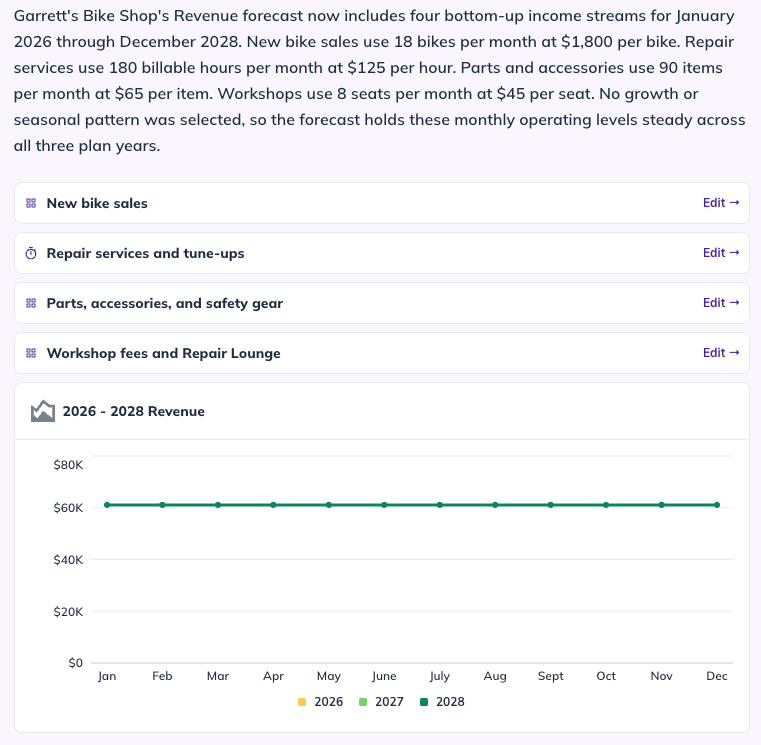
Approve the entries when they look right, and LivePlan adds them to your forecast.

Note: Help Me Forecast recommends beginning with Revenue, but you can work through your forecast in a different order.
What do I do after completing a section?
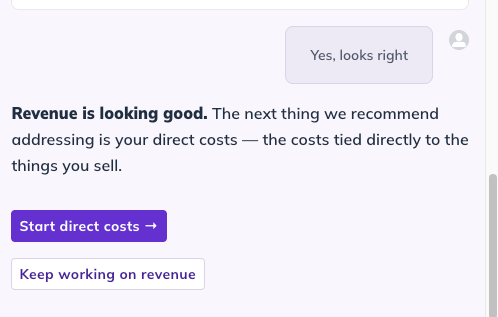
Help Me Forecast will suggest places you can continue. You can follow the recommended path, choose another part of your forecast, or return to the regular Forecast.
Editing your forecast
The entries created by Help Me Forecast become part of your regular LivePlan forecast. You can review the totals, open individual entries, and make changes using the same forecasting tools you'd use for entries created manually.
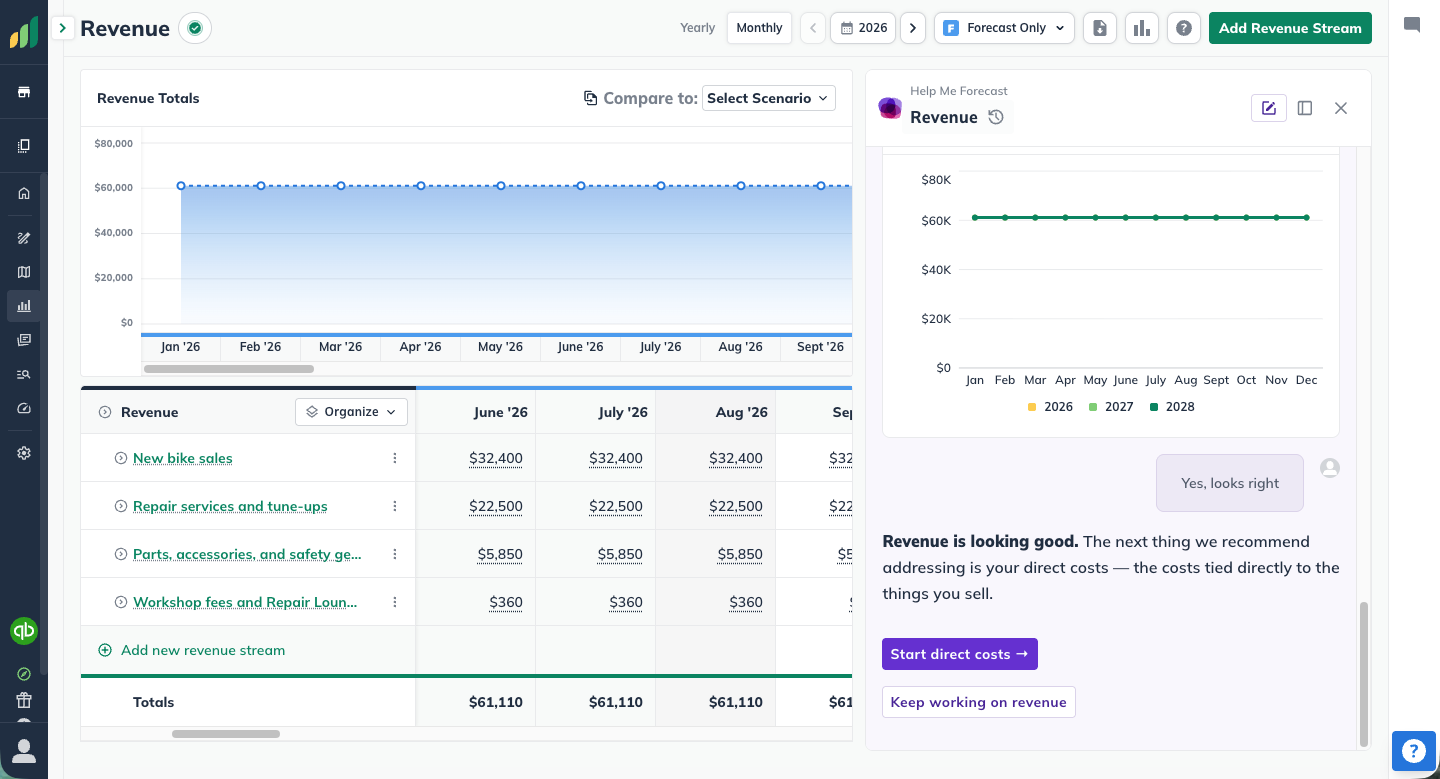
This is different from reviewing and correcting a proposed entry during the guided questions. Editing here happens in your regular Forecast, after the entry has already been created.
FAQ and troubleshooting


No. Help Me Forecast recommends Revenue as a useful starting point, but you can work through forecast sections in another order. After completing a section, it will suggest useful areas to work on next.
Yes. You can clarify or correct information in the conversation before approving the proposed entries. After LivePlan creates them, you can also edit the entries directly in your Forecast.
Yes. Add supported documents as Reference Files to give Help Me Forecast additional information about your business and financial assumptions. It can use that context while helping you build the forecast. Reference files provide guidance for the forecast Help Me Forecast creates; they are not reproduced one-to-one as forecast entries.
Yes. Help Me Forecast can help you create a strong starting point, while the regular Forecast gives you full control to review, edit, and refine the result. You can move between the guided experience and your financial tables as you work.
Yes. Help Me Forecast works with whatever's already in your Forecast. You can use it to fill in sections you haven't started yet, or alongside entries you've already created in a section you're still working through.
Try clarifying your answer or providing additional detail in the conversation before approving the entry. If you already have supporting information about the assumption, adding it as a Reference File may also give Help Me Forecast more context to work from.
Help Me Forecast will continue to evolve. This is the first version of our guided forecasting experience, and we'll continue improving the questions, calculations, and forecasting workflows it can support. If you have feedback about the experience, we'd love to hear from you. Contact Customer Advocacy Team