
Writing Your Business Plan
Adding a break-even analysis to your plan
A break even analysis tells you how much you need to sell in to cover your costs of doing business. A break even analysis is particularly useful if the products or services that you sell have costs associated with them, such as the costs of buying materials for your products. This is because every product you sell generates an additional cost - the cost of buying the materials for your product. So, the more you sell, the higher your expenses will be.
While LivePlan doesn't have a dedicated break-even analysis calculator, you can still add a break-even section to your plan. You can use our free break-even calculator. You can use that tool to put together a break-even analysis separately and then insert the result as an image into your plan.
Adding your break-even analysis to your plan as an image:
After you've completed your break-even analysis, take a screenshot of your results.
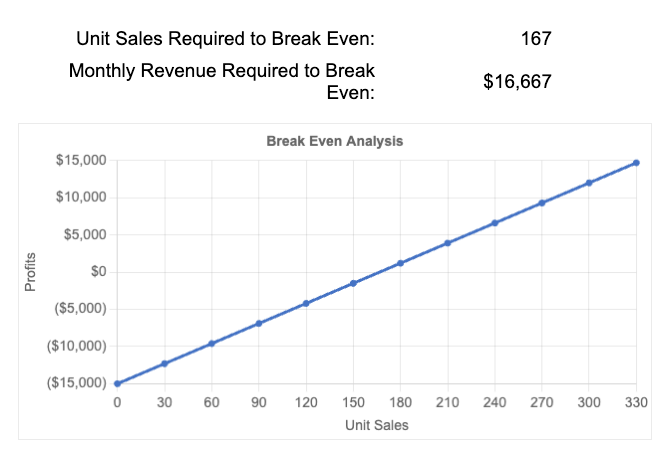
The current plan outline is displayed in the right-hand column when you click on the Plan section.
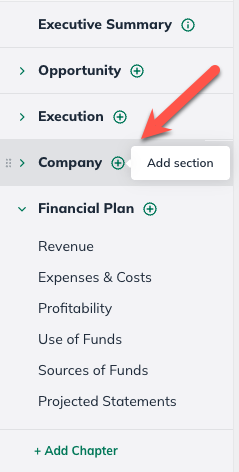
In the Plan section, select the Add Section button in the applicable chapter:
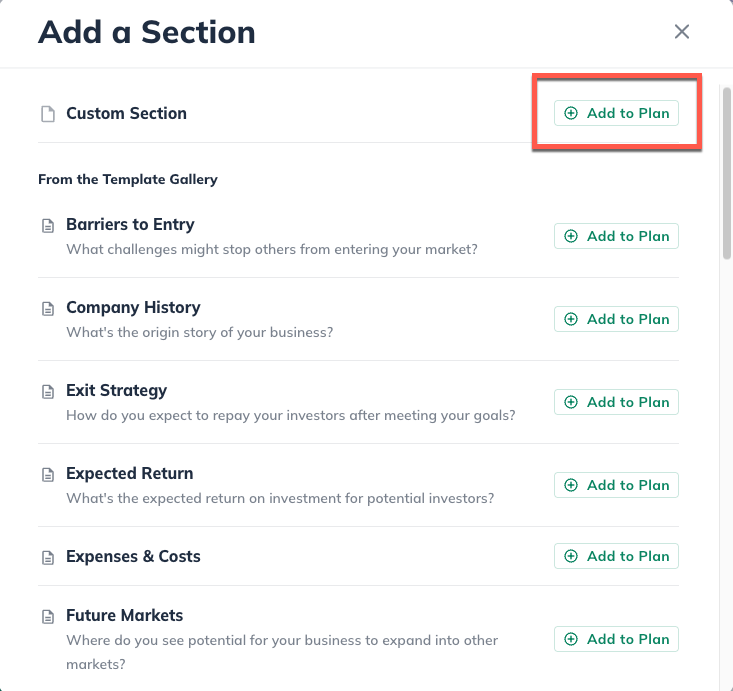
At the top of the Available Content menu, select Custom Section:
Click on the Financial Plan section and LivePlan will automatically add it to your outline and navigate you to that section.
Then type in the title of the new Section:
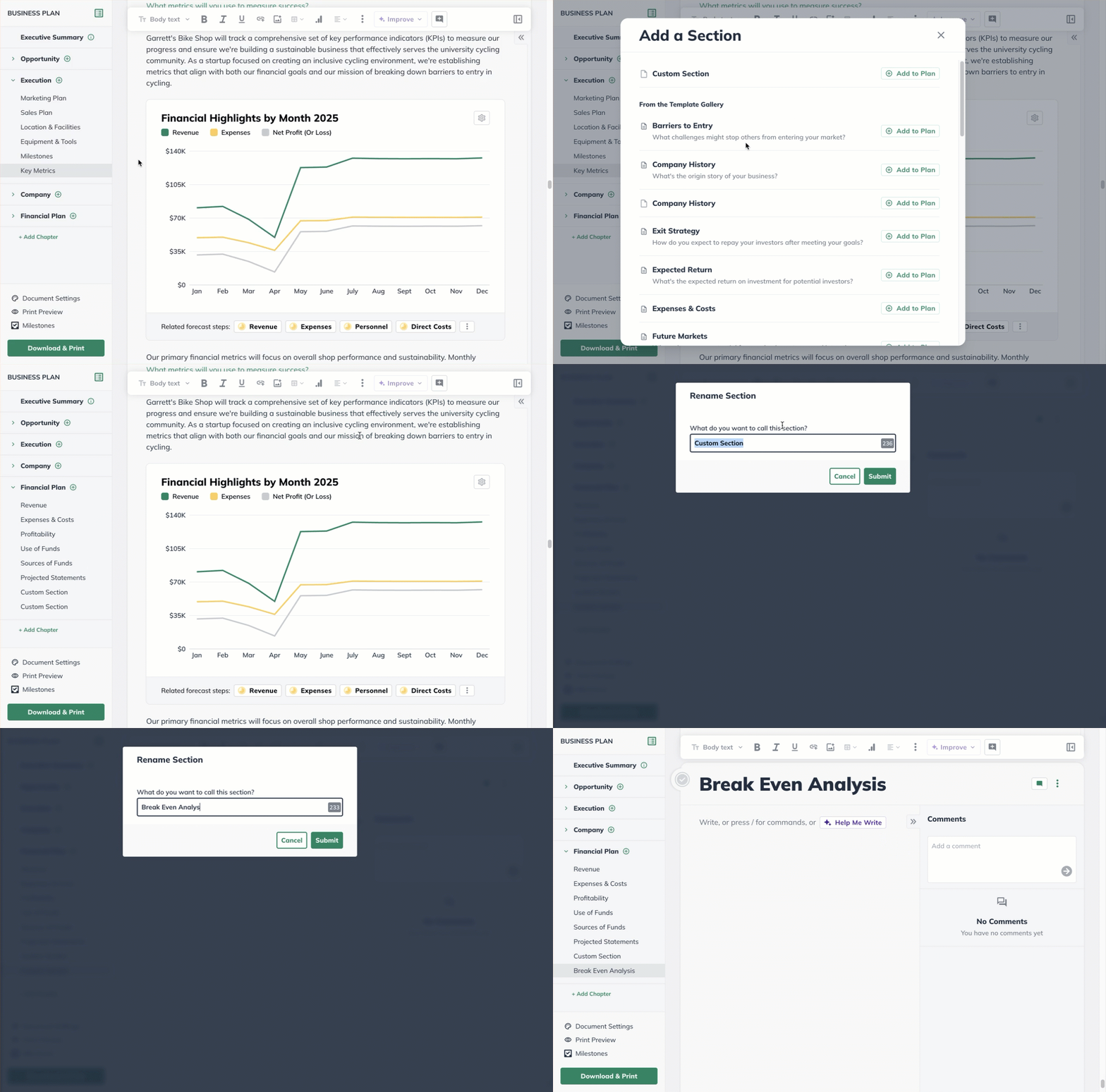
Now that you've created the Break Even section, select the option in the top toolbar to add an image, and upload the screenshot of your Break-Even Analysis.

Now that you have added a Break-Even Analysis to your plan, you can resize the image or work on placement and add some clarifying text to your new topic.