
Forecasting Setup And Management
Quickly calculate simple formulas within cells
LivePlan's Forecast can calculate simple mathematical formulas within cells. This feature is useful for making quick calculations without having to divert your attention away from the forecast and can be performed from any cell within your LivePlan forecast. Addition and subtraction use the + and - operators, / (backslash) divides, and * (asterisk) multiplies.
In the example pictured below, the formula 115.50*38 has been entered in the cell:
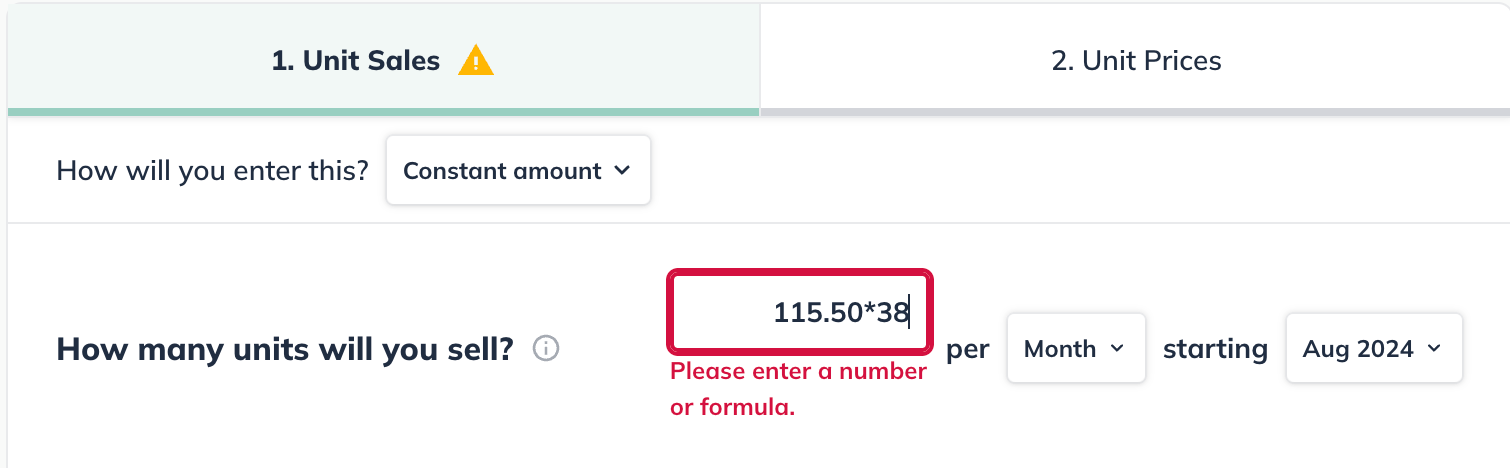
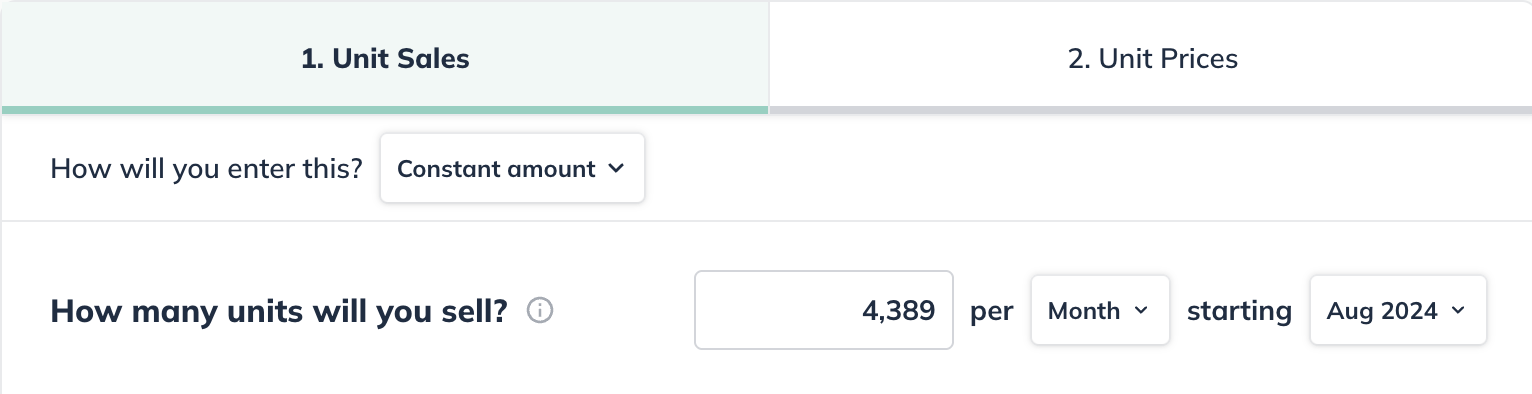
Click anywhere outside of the cell to solve the formula:
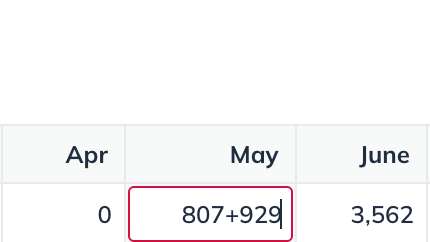
This feature works in the varying amounts over time entry method as well. In the following example, 807+929 is entered into one of the cells.
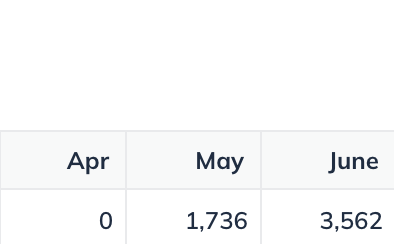
Clicking outside of the cell solves the formula:
Parentheses can also be used to specify the order of operations when entering formulas. The example below shows the equation 39*((97/12)*2.75) entered in the revenue portion of LivePlan's forecast:
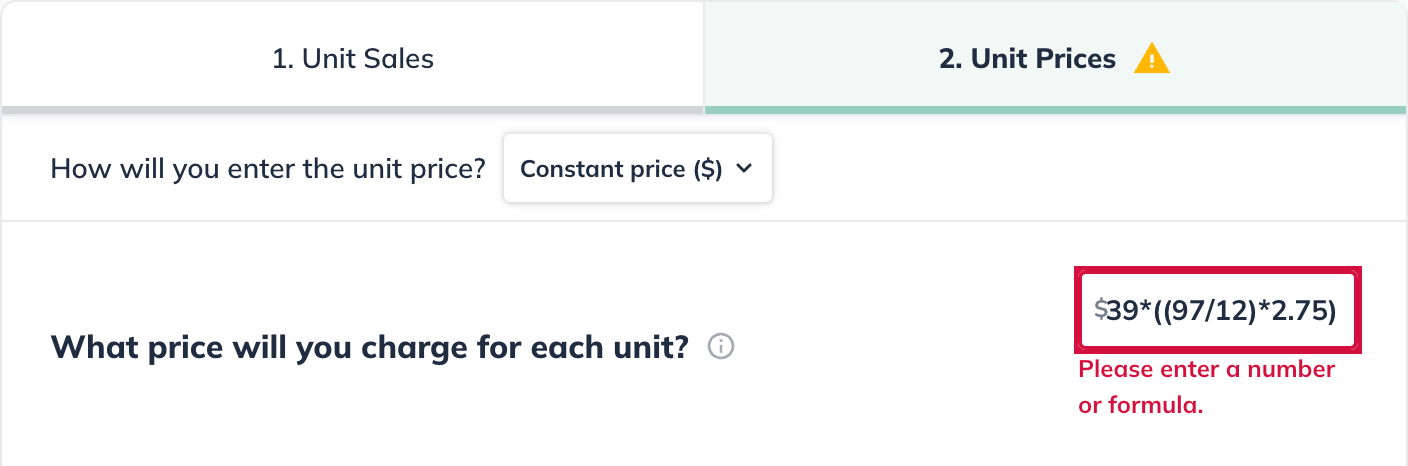
Clicking outside of the cell provides the solution of $866.94

Note: LivePlan will round currency entries to the nearest 1/100th. In the above equation, 39*((97/12)*2.75) is solved as $866.9375, which is then rounded to $866.94