Writing Your Business Plan
Updating the confidentiality message in your plan
The Plan section of LivePlan is configured to include a confidentiality agreement. It will appear in the footer of each page of your plan starting in either the Executive Summary chapter or the table of contents if was selected as part of the Plan export.
You can choose to display a confidentiality agreement message in your plan or not, and you can customize the text of that message at any time.
Note: The confidentiality agreement message has a max character total of 300.
Customizing the confidentiality message:
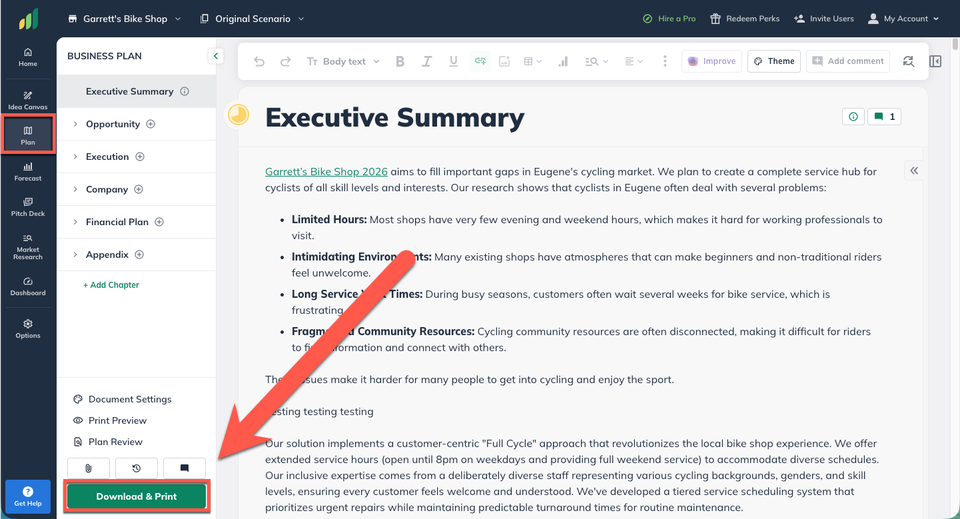
In the Plan section, click Download & Print:
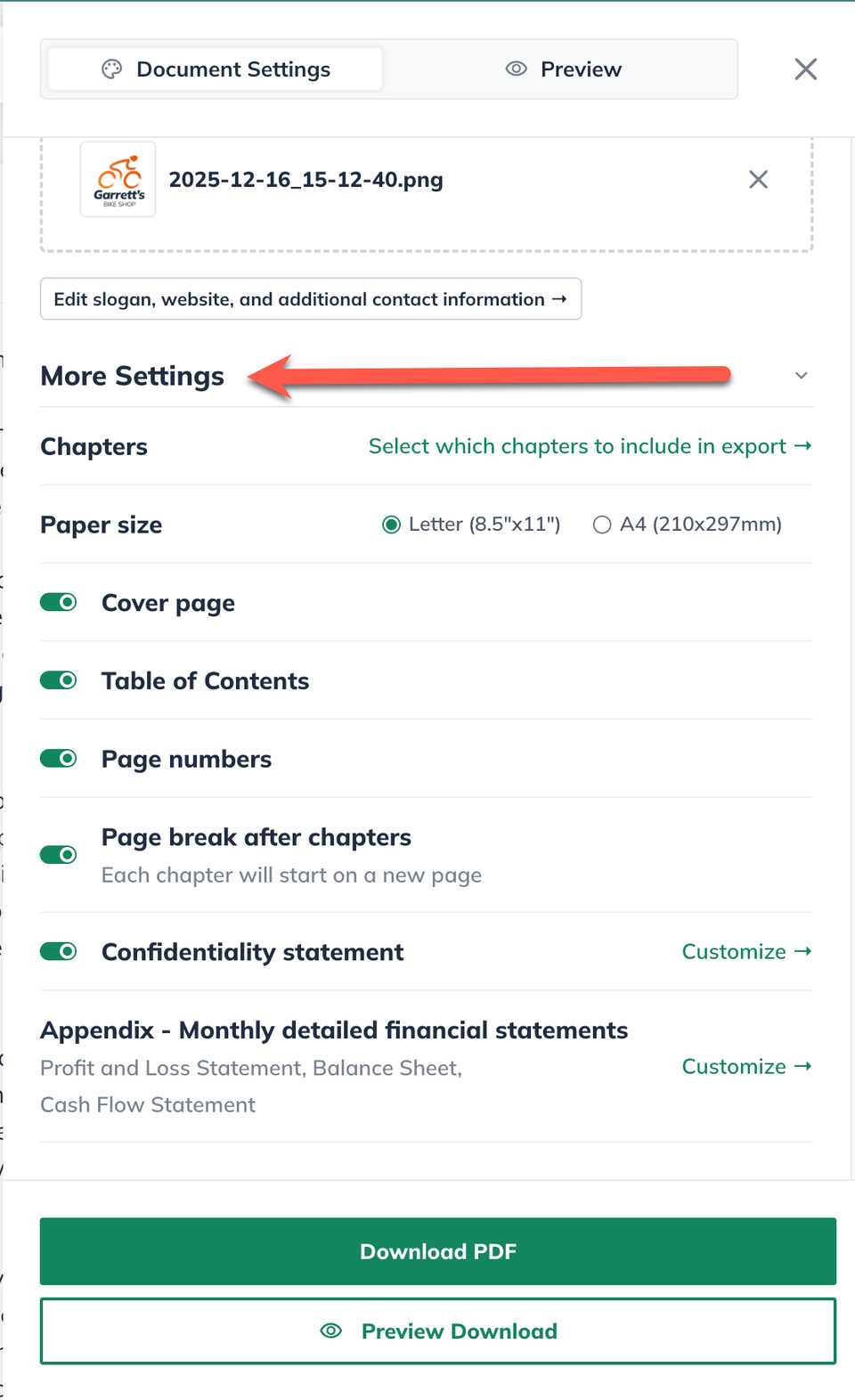
After the Document Settings screen slides out from the right, scroll down to More Settings:
Click Customize next to the Confidentiality statement setting:
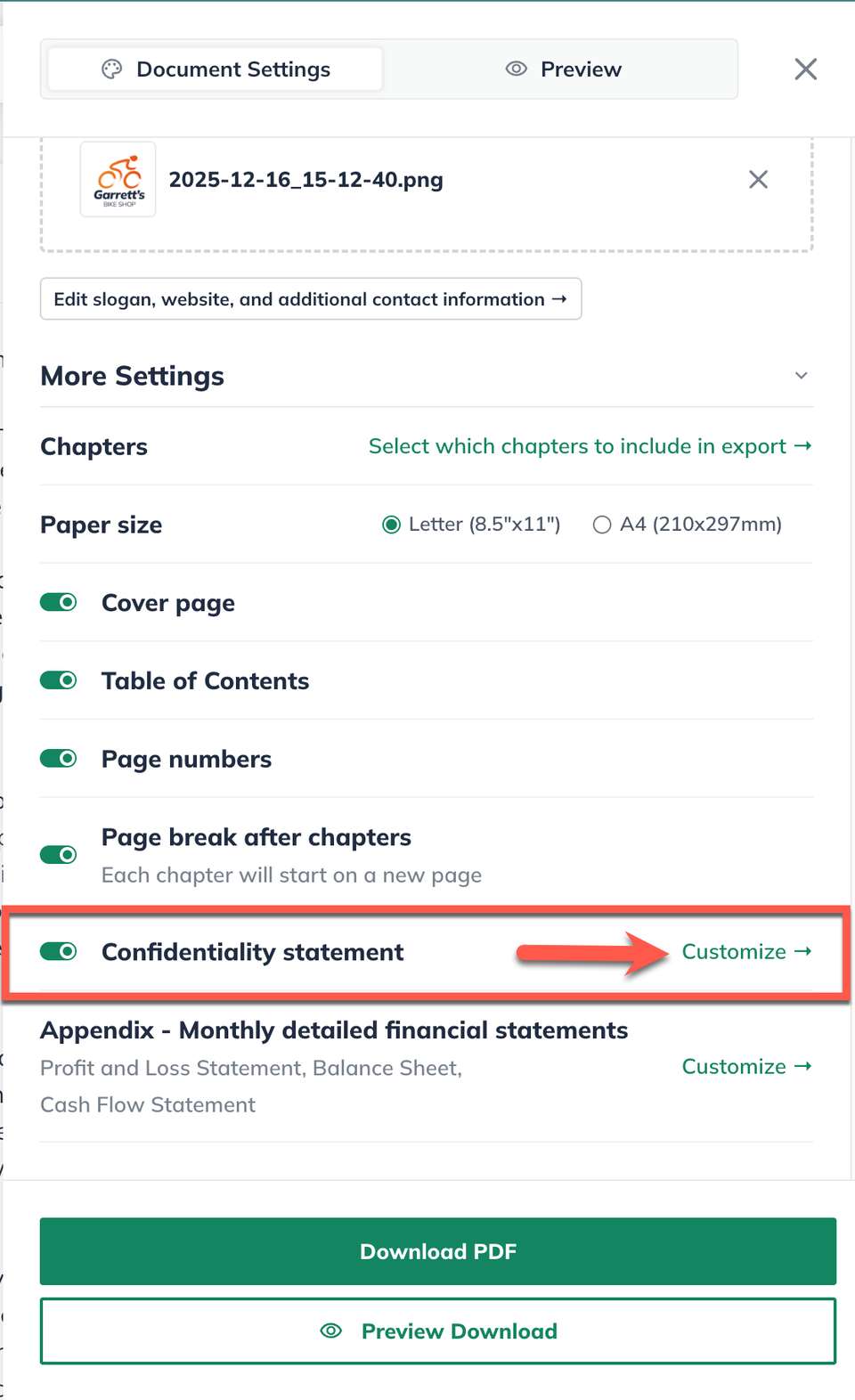
Note: You need to make sure Confidentiality statement has been toggled on for the message to display in the export.
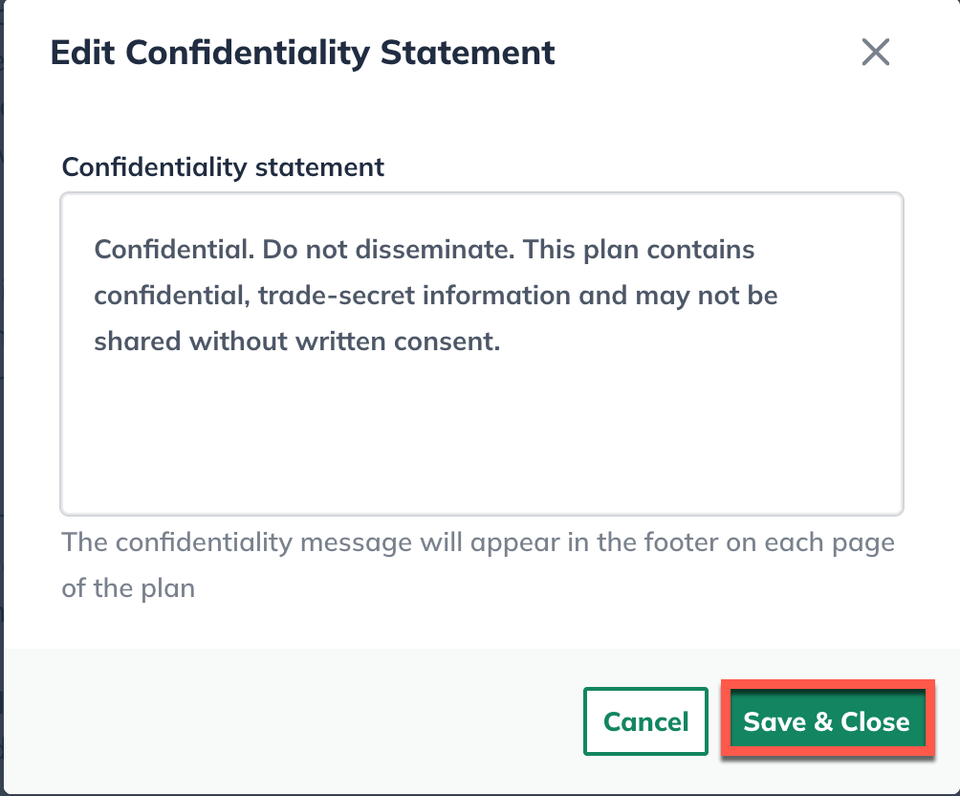
A window will display showing a text editor to enter in your confidentiality agreement message. You'll then click Save & Close once you have updated your message: