Forecasting Financing Taxes And Advanced Topics
Entering a grant in your forecast
If you have received a grant, including it as revenue in your forecast is important. This applies to both nonprofit and for-profit companies. The terms of the grant determine the timing of the revenue. We recommend reading it carefully, following its timing rules, or consulting your financial advisor for further guidance.
Entering a grant
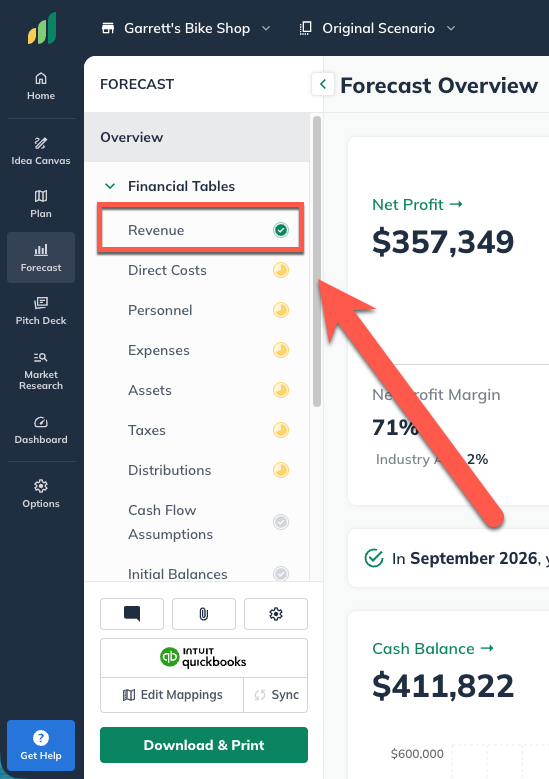
Navigate to the Forecast Overview and select Revenue:
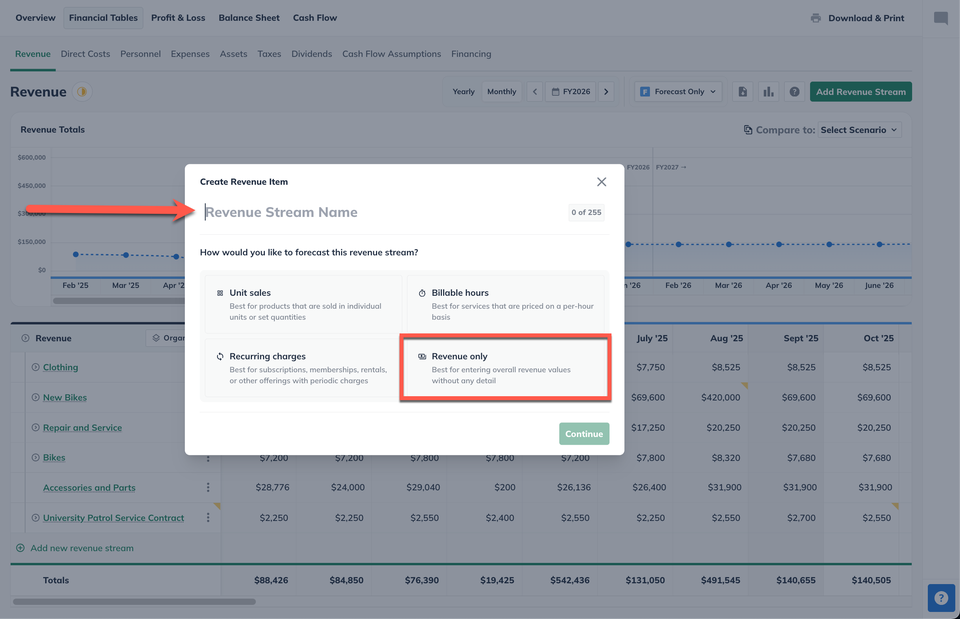
Give the stream a title that identifies it as a grant and select the Revenue Only model:
Next, choose Amount ($) to enter a dollar amount for the grant, then select Varying amounts over time so that you can enter the grant disbursement in the month (or months) you will receive it:
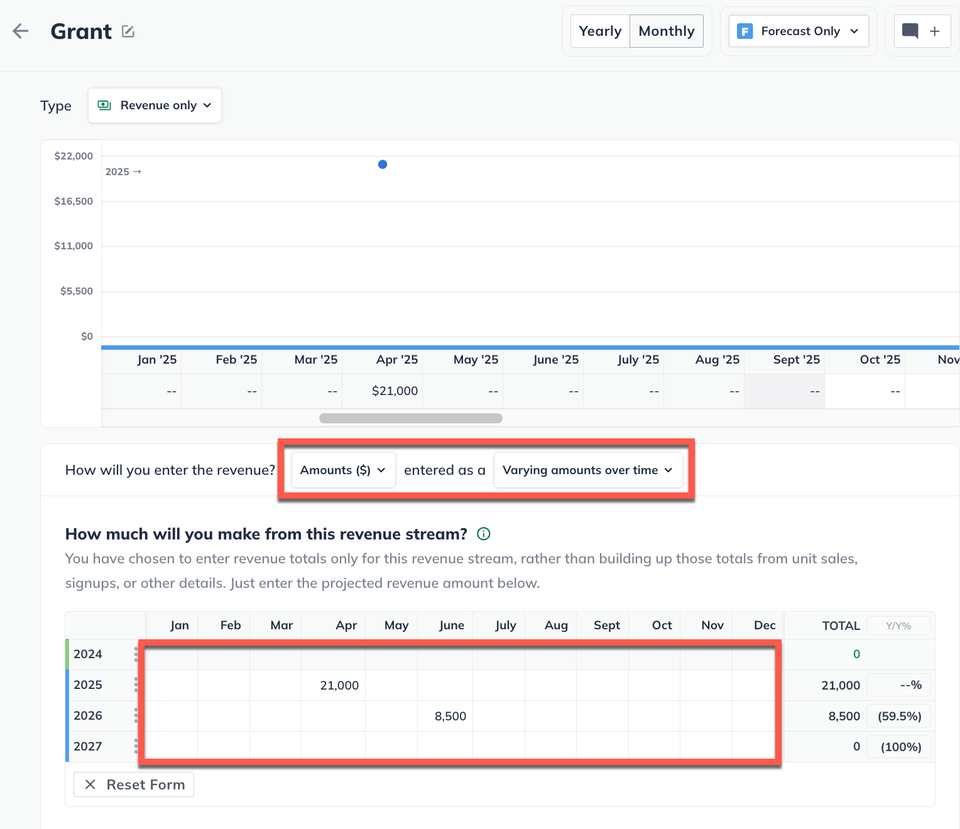
Click Save & Exit to save the changes and return to the revenue section of your forecast: